Make Professional Videos, Not Just Screen Rcordings

As a Loom alternative, EaseUS FocalFlow goes beyond basic screen recording. With smart capture tools, automatic zoom effects, smooth animations, and built-in visual enhancements, you can turn simple recordings into polished tutorial videos, product demos, and presentations without complex editing.

Smart Screen Recording with Webcam and Audio

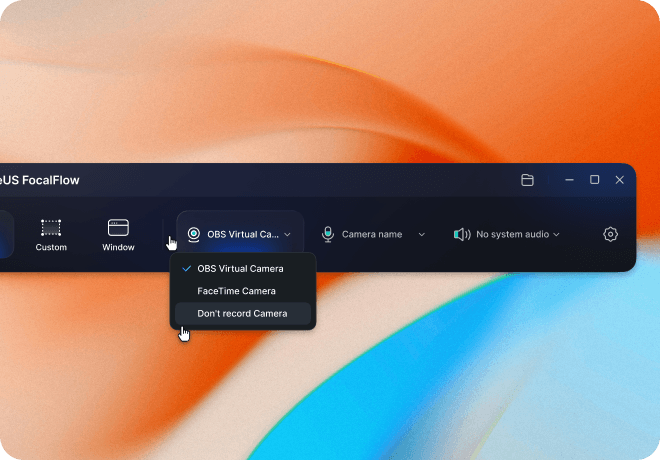
FocalFlow makes screen recording simple and flexible. Record your full screen, a specific window, or a custom region while capturing webcam and system audio simultaneously. This makes it easy to create tutorials, walkthroughs, product demos, or presentation videos in just a few clicks. With intuitive controls and stable recording performance, users can focus on explaining ideas rather than configuring complicated recording settings.

Download FocalFlow Free
Concise Auto Zoom for Focused Screen Recordings

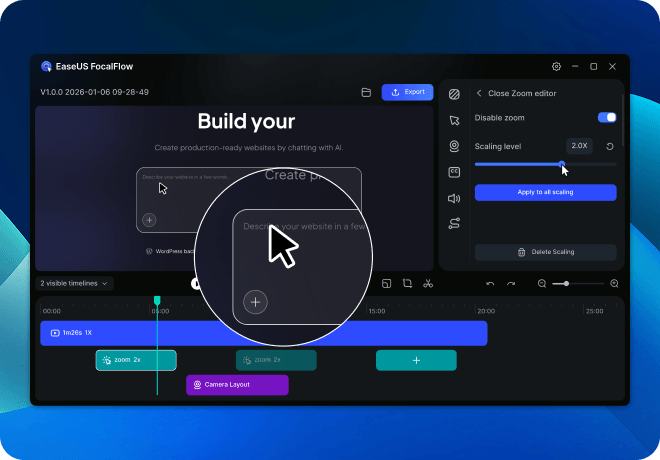
FocalFlow, a screen recorder with mouse click effects, automatically zooms into interaction points to highlight important actions, helping viewers follow workflows in tutorials and product demos. Users can customize zoom range and duration for clearer screen recordings without manual editing, making professional instructional videos easier to create.

Download FocalFlow Free

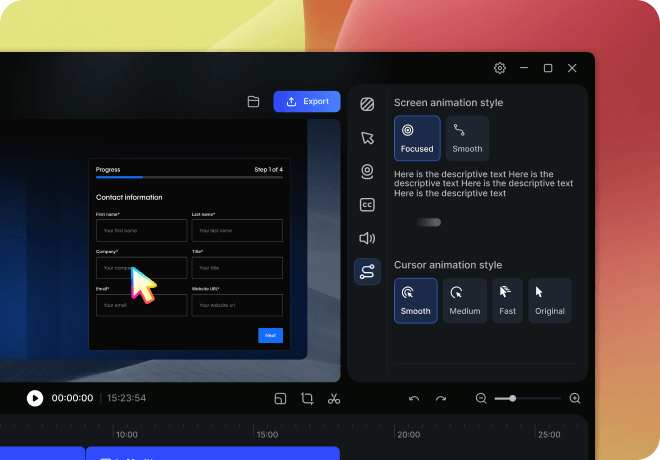
Smooth Animations for Presentation-Quality Videos

Built-in motion effects and cursor animations turn ordinary recordings into visually engaging videos. Smooth transitions help guide viewer attention and make explanations feel more dynamic and professional. These presentation-style animations are especially useful for tutorials, product walkthroughs, and online course content.

Download FocalFlow Free

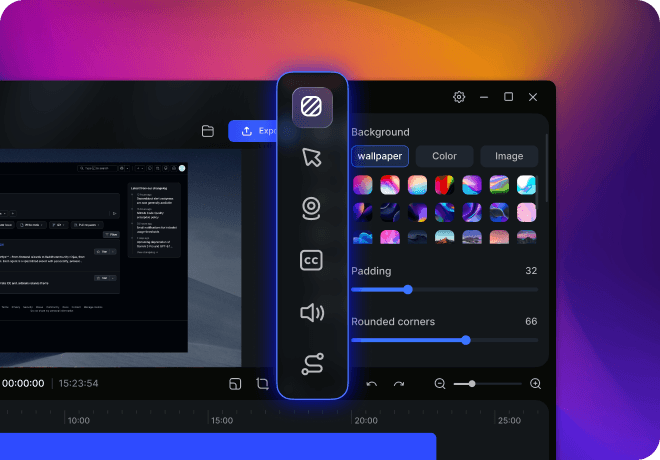
Visual Beautification and Customization Makes Your Videos Stand Out

FocalFlow provides visual enhancement tools that help your videos look cleaner and more professional. Customize webcam frames, backgrounds, subtitles, and visual elements to match your style or brand. These built-in beautification tools reduce the need for external editing software and make your tutorials, demos, and presentations more visually appealing.

Download FocalFlow Free

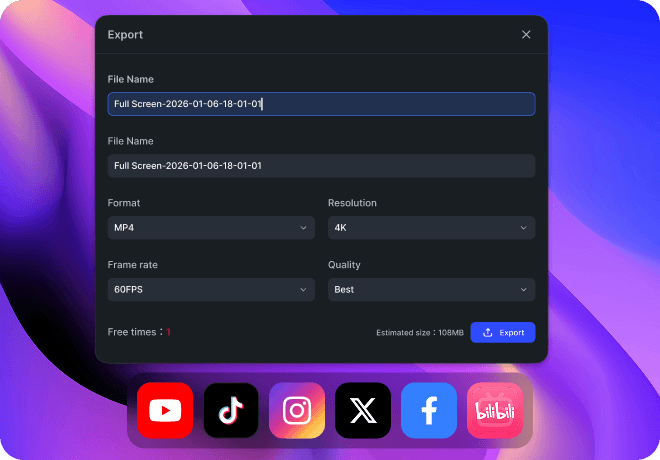
Flexible Export for Sharing and Publishing

FocalFlow makes it easy to export videos for different platforms and use cases. Choose from multiple formats and optimized output settings to ensure your videos look great wherever you share them. Whether you're sharing content on YouTube, embedding tutorials in documentation, or distributing demo videos to your team, FocalFlow helps you move from recording to publishing in minutes.

Download FocalFlow Free

Compare EaseUS FocalFlow vs Loom for a Quick Choice

Both EaseUS FocalFlow and Loom are popular screen recording tools, but they serve different purposes. The comparison below highlights the key differences in recording, editing, visual effects, and export capabilities.

  • Feature
  • Full Screen Recording
  • Custom Region Recording
  • Window Recording
  • Webcam Recording
  • Microphone Recording
  • System Audio Recording
  • App-Specific Audio Recording
  • Auto Zoom
  • Video Cropping
  • Video Background Customization
  • Cursor Customization
  • Sensitive Information Redaction
  • Webcam Background Blur
  • Webcam Position Customization
  • Auto Subtitle Generation
  • Animation Controls
  • Cursor Animation
  • Speaker Notes
  • Multi-Size Export
  • Mute Audio Option
  • Hide Desktop Icons During Recording
  • Free Export Available
  • Team Collaboration
  • Pricing
  • Loom
  • $240/year per user
  • EaseUS FocalFlow
  • $6.67/month (Windows)
  • Download FocalFlow Free

FAQs About EaseUS FocalFlow vs Loom

1. What are the best free alternatives to Loom?

If you're looking for a free Loom alternative, tools like OBS Studio, CloudApp (free tier), and ScreenPal provide solid screen recording and sharing capabilities without requiring a subscription. For users who need both recording and post-production editing, EaseUS FocalFlow offers a free or trial option that combines screen capture with video editing features, making it a strong alternative for content creation and reusable video assets.

2. Can EaseUS FocalFlow fully replace Loom?

Not in every scenario. Loom excels at instant recording and quick share links for team communication, while EaseUS FocalFlow focuses on content creation and editing. If your workflow requires polished videos, multi-format exports, or reusable content, FocalFlow can effectively replace Loom's basic recording functions. However, if you only need fast communication videos, Loom's streamlined approach may still be more convenient.

3. Does EaseUS FocalFlow include watermarks or usage limitations?

EaseUS FocalFlow does not place watermarks on exported videos. The free version includes a limited number of exports so users can experience the recording and video creation features before upgrading. Once the free export quota is used, upgrading to the paid version allows unlimited exports and access to the full feature set.

4. Should I choose Loom or EaseUS FocalFlow?

Choose Loom if you need instant screen recordings and shareable links for team communication. Choose EaseUS FocalFlow if you require video editing, content repurposing, or multi-format exports. Essentially, Loom prioritizes speed and communication, while FocalFlow prioritizes content quality and post-production flexibility.

5. How is the pricing and value of EaseUS FocalFlow?

EaseUS FocalFlow offers strong value for users who need recording plus editing in one tool. Compared with standalone communication tools, it supports professional content workflows at a competitive price. If your goal is video production or reusable tutorials, the feature set often justifies the investment; if you only need basic recording, free alternatives may suffice.

6. Which is better for content creators? EaseUS FocalFlow or Loom?

For content creators, EaseUS FocalFlow is typically more suitable because it supports video editing, subtitle addition, and multi-format output features essential for producing professional tutorials or social media content. Loom remains better for quick demonstrations and internal feedback. In short: FocalFlow for creation and editing, Loom for rapid communication.

More EaseUS FocalFlow Comparisons and Alternatives

Explore more guides on EaseUS FocalFlow vs popular tools like Screen Studio, and discover the best Loom and Screen Studio alternatives.

Turn Screen Recordings into Polished Videos Instantly with EaseUS FocalFlow

Record your screen and transform raw footage into professional, ready-to-share videos in minutes. With built-in editing tools and production workflows, EaseUS FocalFlow helps creators and teams go from capture to polished content, no extra tools required. Start creating better videos today.

Download FocalFlow Free