Create Screen Studio-Style Videos on Windows Perfectly

As a Screen Studio alternative, EaseUS FocalFlow combines powerful screen recording with automatic focus effects, motion animations, and visual enhancements. It enables Windows users to create engaging tutorials, demos, and presentation videos that look polished with ease.

Powerful Screen Recording for Tutorials and Demos

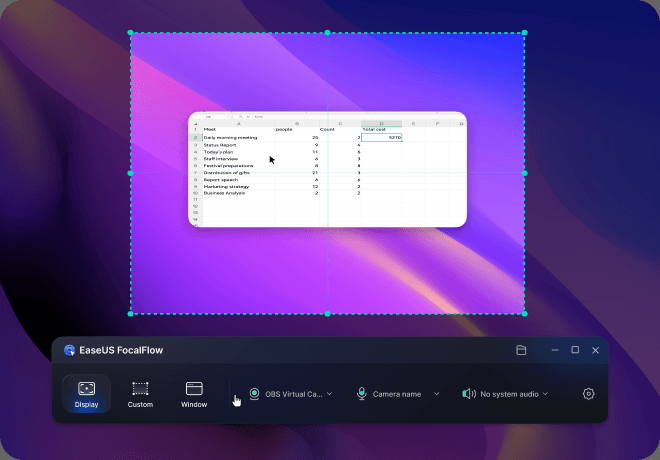
FocalFlow makes it easy to record your full screen, a selected window, or a custom area while capturing webcam, microphone, and system audio. It's ideal for creating tutorials, product demos, walkthroughs, and presentation videos quickly and reliably on Windows.
Download FocalFlow Free

Automatic Zoom to Highlight Important Actions

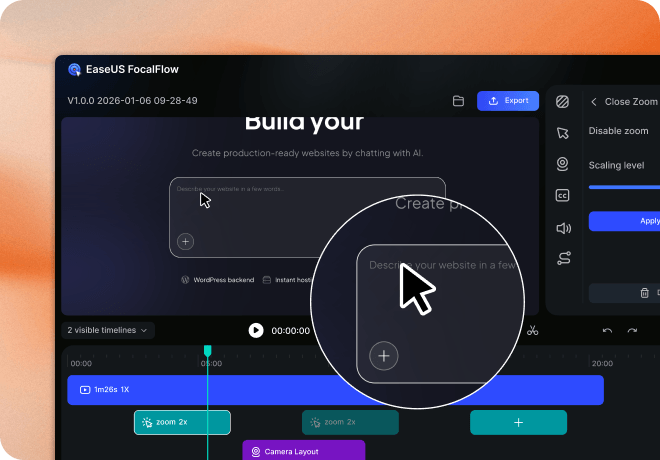
Similar to Screen Studio's visual focus effects, EaseUS mouse recorder automatically zooms into cursor interactions and key actions on screen. This smart zoom helps guide viewer attention and makes tutorials and product demos easier to follow without manual editing.

Download FocalFlow Free

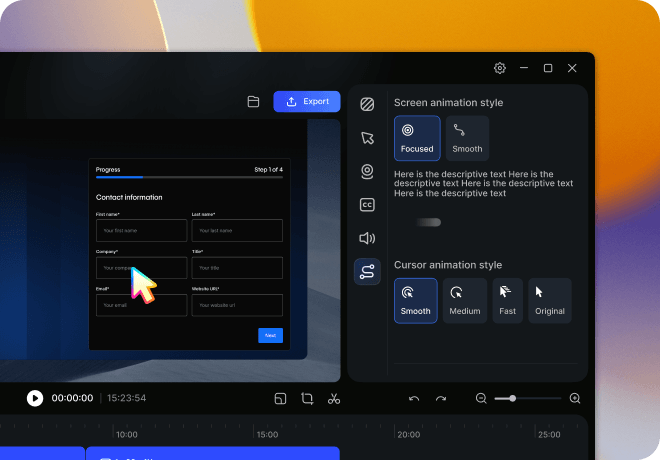
Smooth Motion and Cursor Animations

FocalFlow adds smooth screen movement and cursor animations to your recordings, making explanations clearer and more engaging. These motion effects help transform simple screen captures into presentation-quality videos suitable for tutorials, demos, and educational content.

Download FocalFlow Free

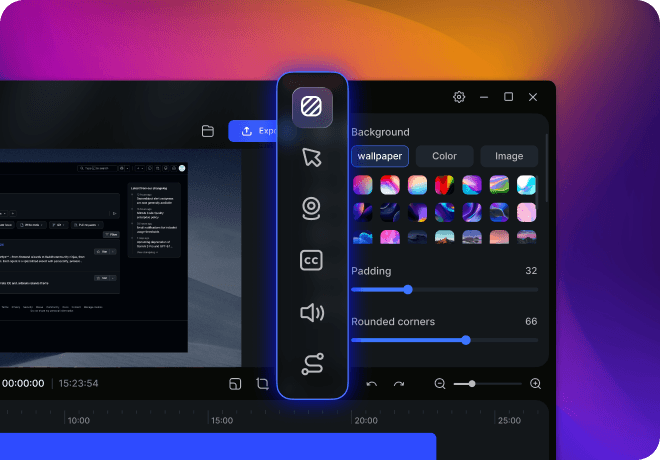
Built-in Visual Enhancements for Polished Videos

Enhance your recordings with customizable backgrounds, webcam shapes, subtitles, and cursor styles. These built-in visual tools help you create clean, professional videos without needing additional editing software.

Download FocalFlow Free

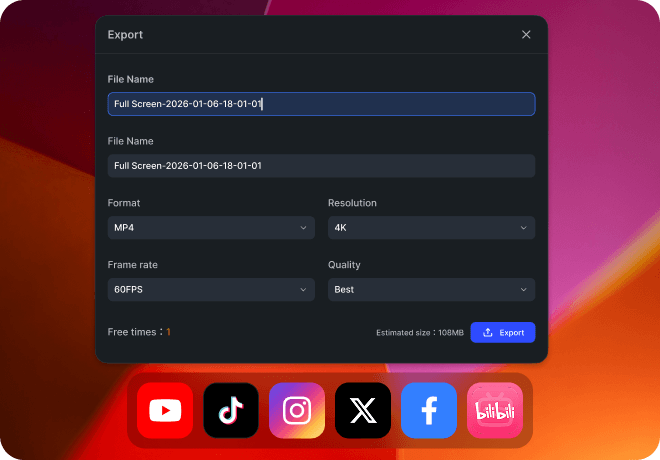
Export Videos for Multiple Platforms

Quickly export your recordings in optimized formats for different platforms and content types. Whether you're publishing tutorials on YouTube, sharing product demos, or creating short presentation clips, FocalFlow helps you deliver polished videos in minutes.

Download FocalFlow Free

Compare EaseUS FocalFlow with Screen Studio Now

This side-by-side comparison helps you evaluate platform support, recording capabilities, and editing features so you can choose the best tool.

  • Feature
  • Windows Support
  • macOS Support
  • Full Screen Recording
  • Custom Region Recording
  • Window Recording
  • Webcam Recording
  • Microphone Recording
  • System Audio Recording
  • App-Specific Audio Recording
  • Automatic Zoom
  • Video Cropping
  • Video Background Customization
  • Cursor Customization
  • Sensitive Information Redaction
  • Auto Subtitle Generation
  • Animation Controls
  • Cursor Animation
  • Prompt Templates
  • Camera Size Adjustment
  • Camera Dimension Adjustment
  • Camera Corner Radius
  • Camera Position Customization
  • Camera Mirroring
  • Multiple Video Size Presets
  • Free Trial Export
  • Pricing
  • Screen Studio
  • $9/month
  • EaseUS FocalFlow
  • Coming Soon
  • $6.67/month
  • Download FocalFlow Free

FAQs About EaseUS FocalFlow vs Screen Studio

1. What's the main difference between EaseUS FocalFlow and Screen Studio?

EaseUS FocalFlow is designed for Windows users who want Screen Studio–style recording with smart zoom, smooth animations, and customization, while Screen Studio is a macOS-native tool focused on beautiful visual recording workflows.

2. Can I use EaseUS FocalFlow on macOS?

At this time, EaseUS FocalFlow is available for Windows. A macOS version is planned for future release to support more creators and cross-platform workflows.

3. Does EaseUS FocalFlow offer the same automatic zoom and animation features as Screen Studio?

Yes. FocalFlow includes automatic zoom, motion animation, cursor animation, and visual effects that help create polished tutorials and demos similar to Screen Studio, with added controls for customization.

4. Which tool is better for creating tutorial or product demo videos?

Both tools support professional-quality recordings, but FocalFlow's built-in motion effects, subtitle generation, and flexible export options make it especially effective for tutorial and demo videos, especially for Windows users.

5. Can EaseUS FocalFlow record system audio and audio from specific applications?

Yes. FocalFlow supports recording system audio and specific app audio alongside webcam and microphone, making it ideal for narrated tutorials or walkthrough videos.

6. Does Screen Studio or FocalFlow support multiple video export sizes?

FocalFlow and Screen Studio both offer multiple preset video export sizes optimized for different platforms to simplify publishing and sharing your content.

7. What editing features does FocalFlow offer that Screen Studio doesn't?

EaseUS FocalFlow provides additional customization like camera position editing, flexible export options, and free trial export availability, making it easier to create and publish polished videos quickly.

More EaseUS FocalFlow Comparisons and Alternatives

Explore more guides on EaseUS FocalFlow vs popular tools like Loom, and discover the best Loom and Screen Studio alternatives.

Ready to Create Screen Studio–Style Videos on Windows?

Try EaseUS FocalFlow free and turn screen recordings into polished, presentation-quality videos with automatic zoom, smooth animations, and built-in editing tools, no complex workflows required. Start creating better videos today.

Download FocalFlow Free