-
![]()
Daisy
Daisy is the Senior editor of the writing team for EaseUS. She has been working in EaseUS for over ten years, starting from a technical writer to a team leader of the content group. As a professional author for over 10 years, she writes a lot to help people overcome their tech troubles.…Read full bio -
Jane is an experienced editor for EaseUS focused on tech blog writing. Familiar with all kinds of video editing and screen recording software on the market, she specializes in composing posts about recording and editing videos. All the topics she chooses …Read full bio
-
![]()
Alin
Alin is an experienced technical blog writing editor. She knows the information about screen recording software on the market, and is also familiar with data cloning and data backup software. She is expert in writing posts about these products, aiming at providing users with effective solutions.…Read full bio -
Jean is recognized as one of the most professional writers in EaseUS. She has kept improving her writing skills over the past 10 years and helped millions of her readers solve their tech problems on PC, Mac, and iOS devices.…Read full bio
-
![]()
Jerry
Jerry is a fan of science and technology, aiming to make readers' tech life easy and enjoyable. He loves exploring new technologies and writing technical how-to tips. All the topics he chooses aim to offer users more instructive information.…Read full bio -
![]()
Rel
Rel has always maintained a strong curiosity about the computer field and is committed to the research of the most efficient and practical computer problem solutions.…Read full bio -
![]()
Gemma
Gemma is member of EaseUS team and has been committed to creating valuable content in fields about file recovery, partition management, and data backup etc. for many years. She loves to help users solve various types of computer related issues.…Read full bio
Page Table of Contents

Jean
Updated on Oct 22, 2026
0 Views |
0 min read
One day, you may find that BlackHole suddenly stops recording audio input or output, even though it worked fine before and no settings were changed. macOS updates, permission issues, or driver conflicts can all cause this. When that happens, looking for a reliable BlackHole alternative for Mac becomes necessary. In this article, we've rounded up 8 commonly used and recommended tools to help you record system audio more reliably on macOS.
1. Soundflower
- System Requirements: older OS X versions up to 10.14 Mojave
- Price: Free and open-source
- Best for: Users who want a completely free BlackHole alternative on Mac and are comfortable dealing with older or community-maintained audio drivers
- Not ideal for: Users on the latest versions of macOS, beginners who want a smooth setup experience, or anyone who needs long-term stability and regular updates
Soundflower is one of the earliest virtual audio drivers available on macOS and has long been used to route system audio between applications. In terms of core functionality, it can serve as a basic BlackHole alternative on Mac, allowing system audio to be captured by recording software. However, unlike newer tools, Soundflower feels dated and relies heavily on community-maintained versions rather than active official development. That's also why users today always consider BlackHole as a Soundflower alternative.

Key Features:
- Virtual audio device for routing system audio
- Supports multi-channel audio output
- Widely supported by older recording and streaming tools
- Simple, no-frills audio routing
Limitations:
- No longer actively maintained as an official project
- Compatibility issues on newer macOS versions
- Setup can be confusing and may require manual workarounds
- Higher risk of system audio issues compared to modern alternatives
Setup Experience:
Installing Soundflower is rarely a plug-and-play experience on modern Macs. macOS often blocks the driver by default, requiring manual approval of system extensions and, in some cases, additional troubleshooting. Once it's working, it does the job, but the setup process can feel outdated compared to newer BlackHole alternatives.
2. JACK Audio Connection Kit
- System Requirements: macOS 10.12 or later
- Price: Free and open-source
- Best for: Advanced users who need a highly flexible BlackHole alternative on Mac and are comfortable configuring professional audio tools
- Not ideal for: Beginners, users who want a simple plug-and-play solution, or anyone looking for a clean graphical interface with minimal setup
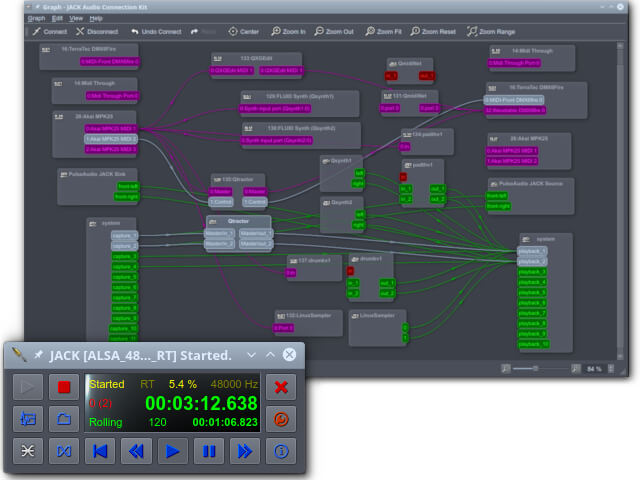
JACK Audio Connection Kit, often referred to simply as JACK, is a professional-grade audio server designed for low-latency audio routing between applications. On macOS, it can function as a powerful BlackHole alternative, especially for users who need precise control over audio connections. That said, JACK is less a simple virtual audio driver and more a full audio routing system, which comes with a noticeably steeper learning curve.
Key Features:
- Low-latency audio routing between multiple applications
- Highly flexible, node-based audio connections
- Supports complex audio workflows and multi-app setups
- Widely used in professional and open-source audio environments
Limitations:
- Complex setup compared to typical BlackHole alternatives
- No native, beginner-friendly interface out of the box
- Overkill for basic screen recording or simple system audio capture
Setup Experience:
Setting up JACK on macOS requires more steps than most virtual audio drivers. You'll need to install additional components and manually configure audio connections before anything works as expected. Once properly set up, it's stable and extremely flexible, but getting there can be time-consuming, especially for users unfamiliar with professional audio routing concepts.
3. EaseUS RecExperts
- System Requirements: macOS 10.13 or later
- Price: Free version with recording time limit. The full version requires a subscription or one-time purchase
- Best for: Users who want a BlackHole alternative on Mac that is easy to use for screen recording and system audio capture, without dealing with complex virtual audio routing
- Not ideal for: Users looking for a completely free solution or those who need advanced per-application audio routing and virtual audio devices.
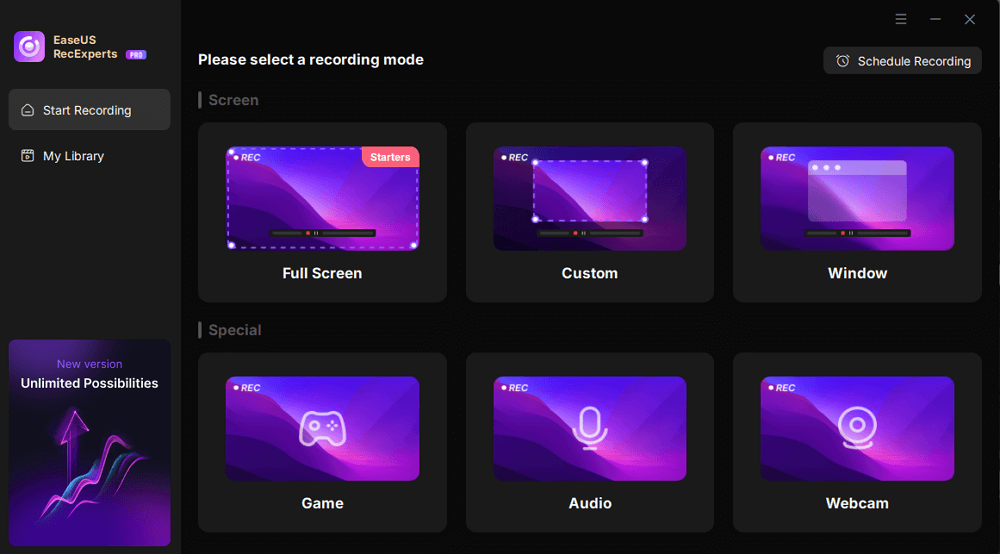
EaseUS RecExperts is primarily a screen recording tool for macOS, but it also functions as a practical BlackHole alternative when capturing system audio. Unlike traditional virtual audio drivers, it offers a built-in interface for recording both input and output simultaneously, making it especially convenient for beginners or users focused on video tutorials, online classes, or simple streaming setups.
Key Features:
- Record system audio, microphone, and screen simultaneously
- Easy-to-use interface with minimal setup
- Supports multiple video formats and audio codecs
- Scheduling and automatic recording options
Limitations:
- The free version has a recording time limit
- Lacks advanced audio routing and multi-app mixing
- Less flexible for professional audio workflows compared to drivers like Loopback or JACK
Setup Experience:
Installation is straightforward and does not require manual system extension approvals. After granting audio permissions, users can start recording immediately. The interface is intuitive, making it one of the fastest ways to capture system and microphone audio together on macOS.
4. Ginger Audio Sphere
- System Requirements: macOS 10.14 Mojave up to the latest versions
- Price: 14-day free trial; $14.99/mo
- Best for: Users looking for a free and simple BlackHole alternative on Mac, especially those who want minimal setup and don't need complex audio routing
- Not ideal for: Advanced audio routing or multi-source mixing, professional live streaming or podcast production, and users who rely on per-app audio routing
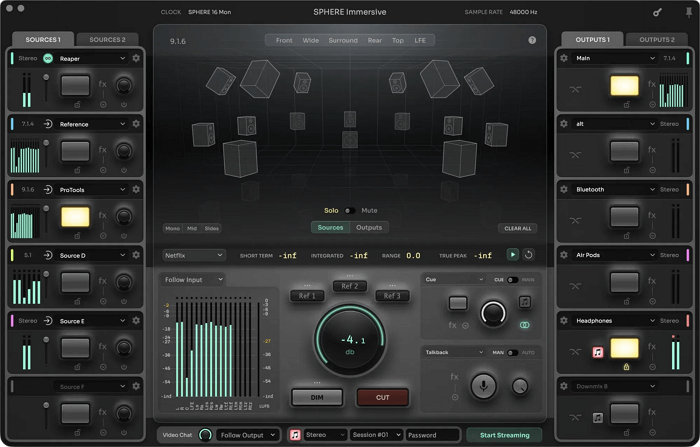
Ginger Audio Sphere is a virtual audio driver for macOS. It works as a lightweight BlackHole alternative on Mac, allowing you to route system audio between applications while also providing basic monitoring and volume controls—features that BlackHole itself doesn't offer. Compared to BlackHole, GroundControl feels more approachable thanks to its user-friendly interface, though it sacrifices flexibility and advanced routing options.
Key Features:
- Virtual audio device for routing system audio
- Built-in monitoring controls, including mute, volume, and mono/stereo options
- A simple control panel for managing audio levels
- Compatible with common tools like OBS, QuickTime, and most DAWs
Limitations:
- Limited routing flexibility compared to paid alternatives
- Fewer updates and a relatively small user community
- Not designed for complex or professional-level audio workflows
Setup Experience:
The installation process is fairly straightforward, but macOS will block the driver by default. You'll need to manually allow the system extension in Security & Privacy and restart your Mac. Once that's done, the interface is clean and easy to understand, even for users who are new to virtual audio drivers.
5. VB-Audio Virtual Cable
- System Requirements: macOS 10.10 or later
- Price: Free to use, with optional paid licenses available to support development
- Best for: Users who want a simple, cable-style BlackHole alternative on Mac and are familiar with basic audio routing concepts
- Not ideal for: Users looking for a polished macOS-native experience, advanced audio routing features, or a visual interface to manage audio connections
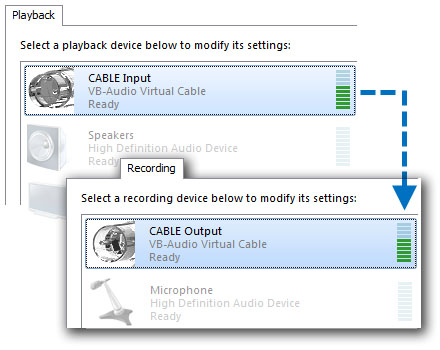
VB-Audio Virtual Cable is designed to act as a straightforward virtual audio cable, routing audio from one application directly into another. As a BlackHole alternative on Mac, it focuses on doing one thing well: passing audio between apps without additional controls or processing. Compared to macOS-first tools, it feels more utilitarian, but for users who know what they need, it can be an effective, lightweight option.
Key Features:
Virtual audio cable for basic system audio routing
Low-latency audio pass-through
Compatible with many recording and streaming applications
Simple, no-frills design focused on core functionality
Limitations:
Very limited control and monitoring options
No native graphical interface for managing audio flow
Less intuitive for macOS users compared to platform-specific tools
Setup Experience:
Installation is generally straightforward, but macOS will still require manual approval of audio permissions. Since there's no dedicated control panel, most configuration is done in the recording or streaming app you're using. For users new to virtual audio routing, this can make troubleshooting less intuitive.
6. VB-Audio VoiceMeeter
- System Requirements: macOS 10.10 or later
- Price: Free to use, with optional paid licenses available to unlock advanced features and support ongoing development
- Best for: Users who want more control than a basic virtual cable and are comfortable using a mixer-style interface as a BlackHole alternative on Mac
- Not ideal for: Users who prefer a simple virtual audio driver, beginners who want minimal setup, or anyone looking for a clean, macOS-native user experience.
VB-Audio is more than just a virtual audio driver; it's a full-featured software mixer that manages multiple audio inputs and outputs. As a BlackHole alternative on Mac, it offers significantly more control over audio routing, levels, and monitoring. However, that flexibility comes at the cost of complexity, and the interface can feel overwhelming if your goal is simply to capture system audio.

Key Features:
- Virtual audio mixer with multiple input and output channels
- Advanced routing and monitoring controls
- Supports system audio, microphones, and application audio
- Useful for streaming, recording, and mixed audio workflows
Limitations:
- Steeper learning curve compared to simpler alternatives
- Interface feels less intuitive on macOS than on Windows
- Overkill for basic screen recording or simple audio capture
Setup Experience:
Getting VoiceMeeter up and running on macOS takes some time. Beyond granting the usual audio permissions, you’ll need to manually configure inputs, outputs, and virtual buses within the app itself. Once configured correctly, it's powerful and flexible, but the setup process can be frustrating for users who just want a quick BlackHole replacement.
7. Loopback
- System Requirements: macOS 11 or later
- Price: Paid software with a free trial. A one-time license is required for continued use, at a price higher than typical virtual audio driver pricing.
- Best for: Users who want a stable, professional BlackHole alternative on Mac with a visual interface and minimal troubleshooting.
- Not ideal for: Users who need a completely free solution or only require very basic system audio capture.
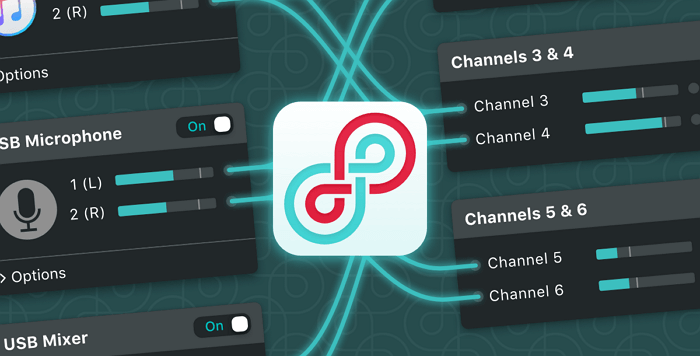
Loopback, developed by Rogue Amoeba, is often considered one of the most polished virtual audio routing tools available on macOS. As a BlackHole alternative on Mac, it stands out for its visual, drag-and-drop style interface, which makes complex audio routing far easier to understand and manage. Compared to free drivers, Loopback feels significantly more stable on newer macOS versions, especially for users who rely on screen recording, streaming, or multi-app audio workflows.
Key Features:
Visual audio routing with a clear, intuitive interface
Ability to combine multiple audio sources into one virtual device
Per-application audio routing
Reliable performance on recent macOS versions
Limitations:
Requires a paid license after the trial period
More features than some users actually need
Not ideal if you only want a simple set-and-forget audio cable
Setup Experience:
Loopback's setup process is more involved than free alternatives, requiring system extension approval and a restart. However, once installed, configuration is straightforward and largely self-explanatory. For many users, this ease of use offsets the higher price.
8. Audio Hijack
- System Requirements: macOS 14.4 or later
- Price: Paid software with a free trial. A one-time purchase is required to unlock full functionality.
- Best for: Users who want advanced recording and processing features rather than a traditional virtual audio driver.
- Not ideal for: Users specifically looking for a simple BlackHole-style virtual audio device.
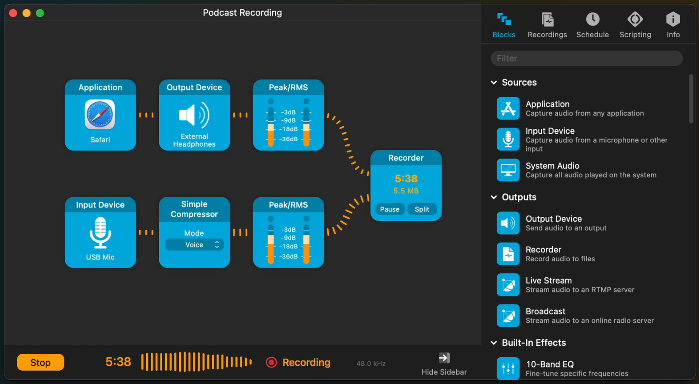
Audio Hijack is not a virtual audio driver in the traditional sense, but it's still commonly mentioned as a BlackHole alternative on Mac because of how effectively it captures system audio. Instead of routing audio between apps, Audio Hijack focuses on recording, monitoring, and processing audio from specific sources, making it especially useful for podcasting, interviews, and high-quality audio recording workflows.
Key Features:
- Capture system audio, application audio, and microphone input
- Built-in audio processing blocks and effects
- Flexible recording and monitoring options
- Reliable performance for long recording sessions
Limitations:
- Does not function as a general-purpose virtual audio cable
- Less suitable for complex real-time routing between applications
- Requires purchase for uninterrupted recording
Setup Experience:
Audio Hijack is relatively easy to set up compared to professional routing tools. After granting the necessary permissions, most recording sessions can be configured quickly using its block-based interface. For users focused on recording rather than routing, the learning curve is manageable.
BlackHole Virtual Audio Driver FAQs
1. Do I need a virtual audio driver to record system audio on a Mac?
In most cases, yes. By default, macOS does not allow direct system audio recording. Tools like BlackHole and its alternatives for Mac act as virtual audio devices that route system audio to recording software such as OBS, QuickTime, or DAWs.
2. What is the best BlackHole alternative for beginners?
For beginners, tools with a visual interface and simpler setup tend to work best. Loopback is often the easiest paid option, while GroundControl can be a good free alternative if your needs are basic. These tools reduce the amount of manual configuration compared to more technical solutions like JACK.
3. Are free BlackHole alternatives reliable enough?
Free alternatives can work well for basic tasks like screen recording or simple audio capture. However, they may come with limitations such as fewer updates, less compatibility with newer macOS versions, or limited routing options. If audio stability is critical, paid tools often provide a more consistent experience.
4. Does using BlackHole or its alternatives affect audio quality?
When set up correctly, BlackHole and most alternatives do not noticeably degrade audio quality. Issues like distortion or delay usually come from incorrect sample rate settings or misconfigured routing, not the virtual driver itself. Some advanced tools offer greater control over latency and monitoring, helping fine-tune the setup.
5. Can I uninstall BlackHole safely if I switch to an alternative?
Yes. BlackHole can be safely removed by following the official uninstall instructions or using the provided uninstall script. It's recommended to restart your Mac afterward to avoid audio device conflicts, especially before installing another virtual audio driver.