-
![]()
Daisy
Daisy is the Senior editor of the writing team for EaseUS. She has been working in EaseUS for over ten years, starting from a technical writer to a team leader of the content group. As a professional author for over 10 years, she writes a lot to help people overcome their tech troubles.…Read full bio -
Jane is an experienced editor for EaseUS focused on tech blog writing. Familiar with all kinds of video editing and screen recording software on the market, she specializes in composing posts about recording and editing videos. All the topics she chooses …Read full bio
-
![]()
Alin
Alin is an experienced technical blog writing editor. She knows the information about screen recording software on the market, and is also familiar with data cloning and data backup software. She is expert in writing posts about these products, aiming at providing users with effective solutions.…Read full bio -
Jean is recognized as one of the most professional writers in EaseUS. She has kept improving her writing skills over the past 10 years and helped millions of her readers solve their tech problems on PC, Mac, and iOS devices.…Read full bio
-
![]()
Jerry
Jerry is a fan of science and technology, aiming to make readers' tech life easy and enjoyable. He loves exploring new technologies and writing technical how-to tips. All the topics he chooses aim to offer users more instructive information.…Read full bio -
![]()
Rel
Rel has always maintained a strong curiosity about the computer field and is committed to the research of the most efficient and practical computer problem solutions.…Read full bio -
![]()
Gemma
Gemma is member of EaseUS team and has been committed to creating valuable content in fields about file recovery, partition management, and data backup etc. for many years. She loves to help users solve various types of computer related issues.…Read full bio
Page Table of Contents

Jean
Updated on Aug 28, 2026
0 Views |
0 min read
For years, Bandicam has been one of the go-to screen recorders for Windows users, particularly gamers and anyone who values smooth, high-performance recording. But the software has changed significantly. It now offers a Mac version, a free online screen recorder, and even a beta release previewing what's coming next.
So, is Bandicam still worth recommending in 2026?
To answer that, we tested Bandicam across everyday recording tasks, explored its latest features, compared it with today's most popular alternatives, and looked at where it still excels, and where it now falls behind.
Quick Verdict
If you only need one sentence, here's our verdict: Bandicam remains one of the best lightweight screen recorders available, but it's no longer the obvious choice for every type of creator.
Its biggest strength has always been performance. During testing, as one of the best lightweight screen recorders, Bandicam launched quickly, consumed relatively few system resources, and delivered smooth recordings even at high resolutions and frame rates. For gameplay, software tutorials, webinars, or recording external devices, it continues to feel fast and dependable.
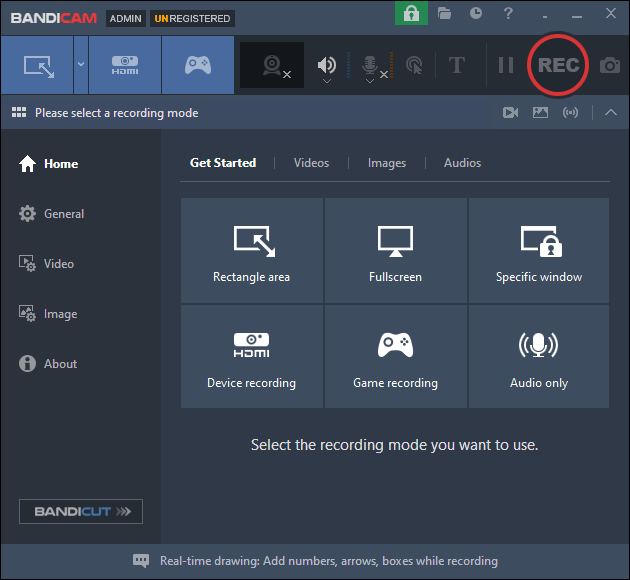
However, the screen recording market has changed. Many competitors now include built-in editing tools, AI-powered features, cloud collaboration, and cross-platform workflows. Bandicam has expanded beyond Windows with new Mac and online versions, but its desktop application is still primarily focused on one thing: capturing high-quality video.
Whether that's enough depends on what you're looking for.
If you regularly create gameplay videos or need a recorder that simply works without slowing down your PC, Bandicam remains an excellent choice. But if you expect advanced editing, collaborative workflows, or an all-in-one content creation platform, you'll likely find better value elsewhere.
👉Overall Ratings
|
Category |
Rating |
|
Recording Quality |
9.5 / 10 |
|
Performance |
9.5 / 10 |
|
Ease of Use |
9 / 10 |
|
Video Editing |
6 / 10 |
|
Value for Money |
8.5 / 10 |
|
Overall |
8.9 / 10 |
 Best for
- Gamers who want smooth, high-FPS recording
- YouTubers creating gameplay or software tutorials
- Users recording external devices through HDMI capture cards
- Anyone looking for a lightweight desktop recorder
 Not ideal for
- Users who need professional video editing
- Teams that rely on cloud collaboration
- Creators looking for AI-assisted editing tools
- Beginners who prefer an all-in-one record-and-edit workflow
Share this post if you find it helpful!

What's New in Bandicam?
If your impression of Bandicam is "a Windows game recorder," it's time for an update. Over the past few years, Bandicam has expanded beyond its original desktop software while staying true to its lightweight recording philosophy.
The biggest change is platform support. In addition to the classic Windows version, Bandicam is now available for macOS, making it a more practical choice for creators who work across different operating systems.
Bandicam has also introduced a free online screen recorder that runs directly in your browser. While it's designed for quick recordings rather than advanced projects, it's a convenient option for capturing tutorials, presentations, or browser-based demos without installing software.
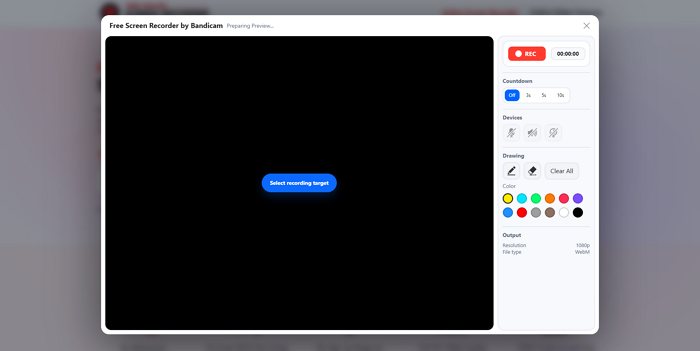
Another sign that the software is actively evolving is the release of the 2027 Beta, which gives users early access to upcoming features and improvements. This shows Bandicam is still under active development rather than simply receiving maintenance updates.
What's interesting is that, despite these additions, Bandicam hasn't changed its core identity. Instead of becoming an all-in-one video editing platform, it continues to focus on what it has always done well: delivering fast, reliable screen recording with minimal impact on system performance.
What Is Bandicam?
Bandicam is a screen recording application designed to capture high-quality video with minimal impact on system performance. Unlike all-in-one tools that combine recording, editing, and collaboration, Bandicam focuses primarily on recording—and does it exceptionally well.
It offers several recording modes, including screen recording, gameplay capture, webcam recording, and external device recording through HDMI capture cards. Support for hardware acceleration (NVIDIA NVENC, AMD AMF, and Intel Quick Sync) also helps reduce CPU usage while maintaining smooth frame rates.
Today, Bandicam is available as a desktop application for Windows and macOS, as well as a free browser-based recorder for quick screen captures. While it doesn't include a full-featured video editor, its lightweight design and reliable recording quality continue to make it a popular choice among gamers, educators, and professionals who value speed and simplicity over complex post-production tools.
Key Features and Real-World Experience
Bandicam has added new products over the years, but its desktop recorder is still built around one goal: capturing smooth, high-quality video with as little system impact as possible. After testing the latest version, here's how its core features perform in everyday use.
Screen & Game Recording
Recording is where Bandicam continues to stand out. It supports full-screen, custom area, webcam, and game recording, with hardware acceleration available for NVIDIA, AMD, and Intel GPUs. During testing, the software launched quickly, detected recording sources without issues, and maintained stable performance even at higher resolutions.
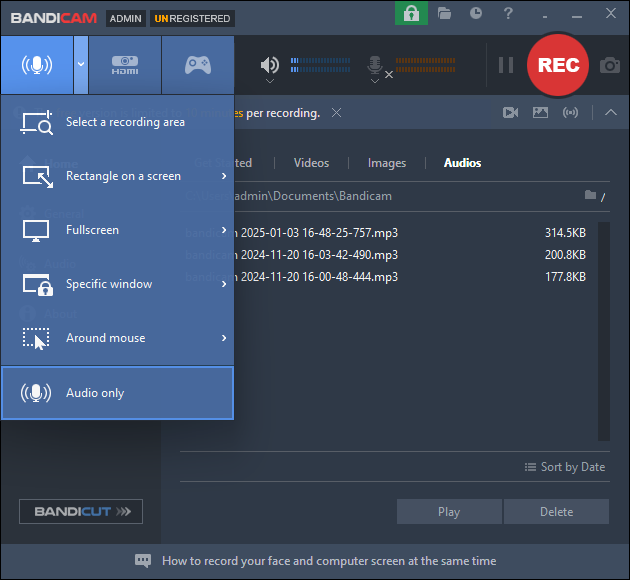
Game Recording Mode remains one of Bandicam's biggest strengths. It automatically detects many DirectX and OpenGL games, making it easy to capture gameplay without complicated setup. For gamers who care about smooth recording and high frame rates, Bandicam still feels lighter than many all-in-one alternatives.
Device Recording
One feature that often gets overlooked is Device Recording. If you have a compatible capture card, Bandicam can record external video sources such as game consoles, webcams, digital cameras, or other HDMI devices.
While this isn't something every user needs, it's a useful option for content creators who record gameplay from consoles or create hardware demonstrations.
Basic Editing and Annotation
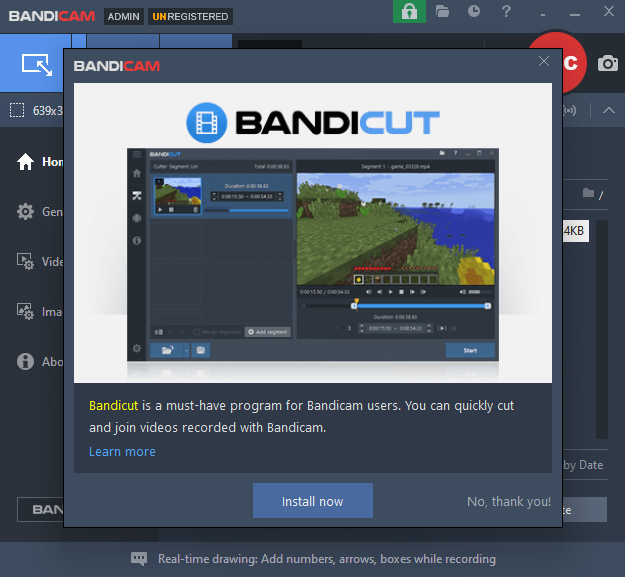
Bandicam isn't designed to replace a video editor, and that's immediately apparent after recording. To trim clips, adjust a few basic settings, and add your own logo or mouse effects, you have to install an extra application called Bandicut.
For quick recordings, this simplicity is actually an advantage. If your videos require captions, effects, or multi-track editing, however, you'll likely need separate editing software.
Export and Overall Experience
Recorded videos can be saved in MP4 by default; it natively supports three primary only: MP4, AVI, and WAV (for audio). There are options to adjust the codec, frame rate, resolution, and bitrate before recording. The recordings are saved to Documents by default after recording. You cannot previw the file.
Compared with many screen recorders, Bandicam gives users more control over recording quality without making the interface feel overwhelming.
Overall, the software feels fast, responsive, and purpose-built. It doesn't try to do everything—and that's arguably its biggest strength. If your priority is reliable recording rather than full-scale video production, Bandicam continues to deliver one of the smoothest experiences in its category.
Pricing: Is It Worth Paying?
One thing that has always made Bandicam appealing is its straightforward licensing. Unlike many competitors that require a recurring subscription, Bandicam still offers a one-time purchase for its desktop software, making it an attractive option for users who prefer to pay once and use the software long term.
The free version is generous enough to explore the interface and test recording quality, but it comes with two important limitations:
- Recorded videos include a Bandicam watermark.
- Each recording is limited to 10 minutes.
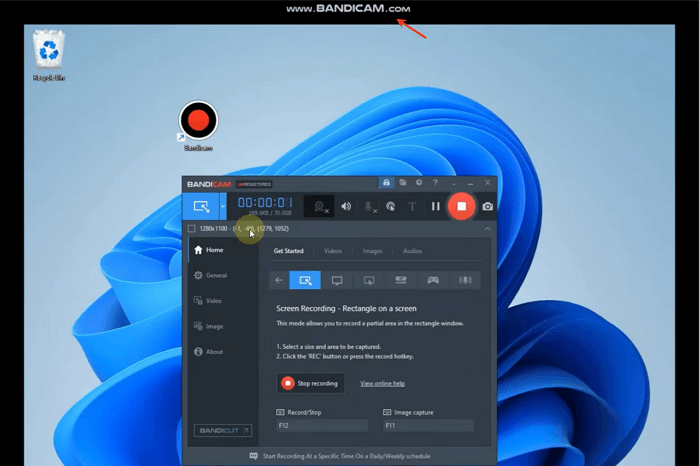
These restrictions are reasonable for evaluation, but they're likely to become frustrating if you create content regularly.
Upgrading to the full version removes both limitations and unlocks lifetime access to future updates for the purchased version. For users who regularly record tutorials, gameplay, online meetings, or software demonstrations, the paid license quickly becomes the more practical choice.
That said, Bandicam's value isn't just about price—it's about longevity. A lifetime license can be more cost-effective than subscription-based alternatives if you plan to use the software for several years.
The downside is that Bandicam doesn't include a full-featured video editor, cloud collaboration, or AI-powered editing tools that some subscription products now bundle together. If those features are essential to your workflow, a more comprehensive platform may offer better overall value despite the higher long-term cost.
For users who simply want a reliable, lightweight recorder without committing to another monthly subscription, however, Bandicam remains one of the strongest values in its category. It charges for recording software—not an entire content creation ecosystem—and many users will appreciate that focus.
System Requirements and Performance
One of Bandicam's biggest selling points has always been its performance. Unlike feature-heavy recording suites, Bandicam is designed to capture high-quality video while keeping CPU and GPU usage relatively low.
The desktop version runs on both Windows and macOS and doesn't require high-end hardware for everyday recording. While a modern multi-core processor and SSD are recommended for 4K or high-frame-rate recording, most mid-range PCs can handle 1080p recording without difficulty.
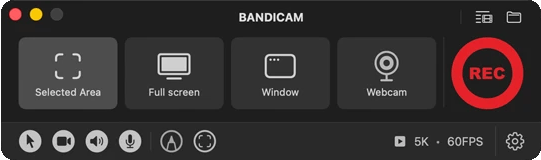
In everyday use, Bandicam feels noticeably responsive. The application launches quickly, recording starts almost instantly, and switching between recording modes is straightforward. During testing, recording remained smooth, with no noticeable frame drops when capturing desktop activity or gameplay with hardware acceleration.
Another advantage is codec support. Bandicam supports NVIDIA NVENC, AMD AMF, and Intel Quick Sync, enabling compatible systems to offload video encoding to the GPU rather than relying solely on the CPU. This helps maintain better overall system performance while recording.
That said, Bandicam's lightweight design is partly due to its focus on recording rather than editing. Once recording is finished, users who need advanced editing, effects, or captions will likely need to continue their workflow in separate software.
Overall, if recording performance is your top priority, Bandicam remains one of the most efficient desktop recorders available. It isn't the most feature-packed solution, but it's one of the few that consistently delivers smooth, reliable recording without demanding powerful hardware.
Pros and Cons
Like most long-running software, Bandicam isn't perfect. After testing the latest version and reviewing user feedback from communities like Reddit, its strengths and weaknesses are surprisingly consistent. Most users appreciate its speed and reliability, while the biggest criticisms focus on features outside of recording itself.
✅Pros
- Excellent recording performance.
- Low system resource usage.
- Supports external devices.
- Lifetime license available.
❌Cons
- Limited editing tools.
- The free version has clear limitations.
- The interface feels dated in places.
- No AI and collaboration features.
⁉️Overall
One thing stood out while testing Bandicam: it knows exactly what it wants to be. Rather than adding every new trend or feature, it continues to prioritize recording quality and performance. That focus means it won't satisfy everyone, but it's also why many long-time users still recommend it after all these years. If your workflow starts with "I need to record my screen," Bandicam remains one of the most dependable tools available.
Bandicam vs OBS vs EaseUS RecExperts
The simplest way to understand these three tools is this:
- Bandicam is built for lightweight, high-performance recording
- OBS Studio is built for full control and customization
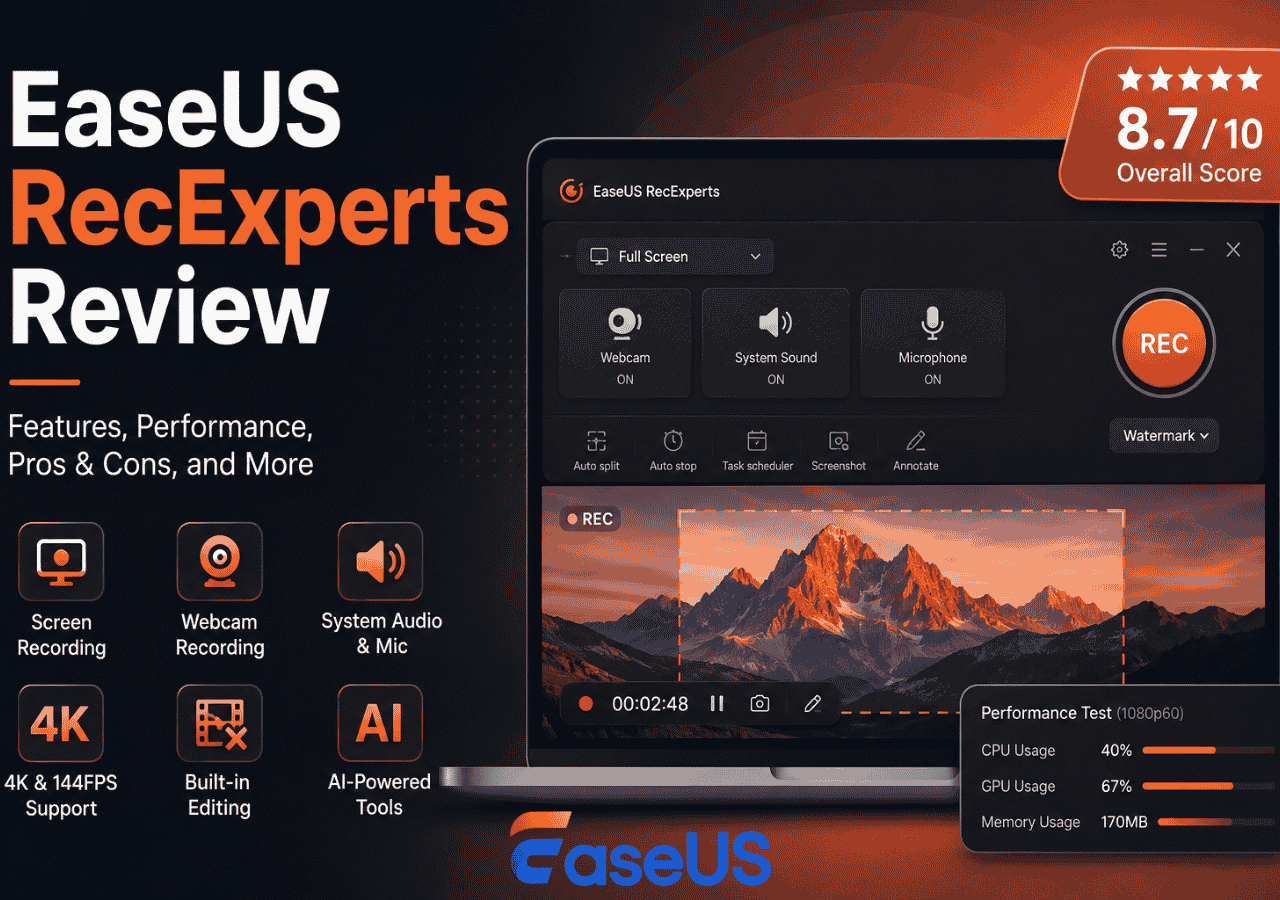
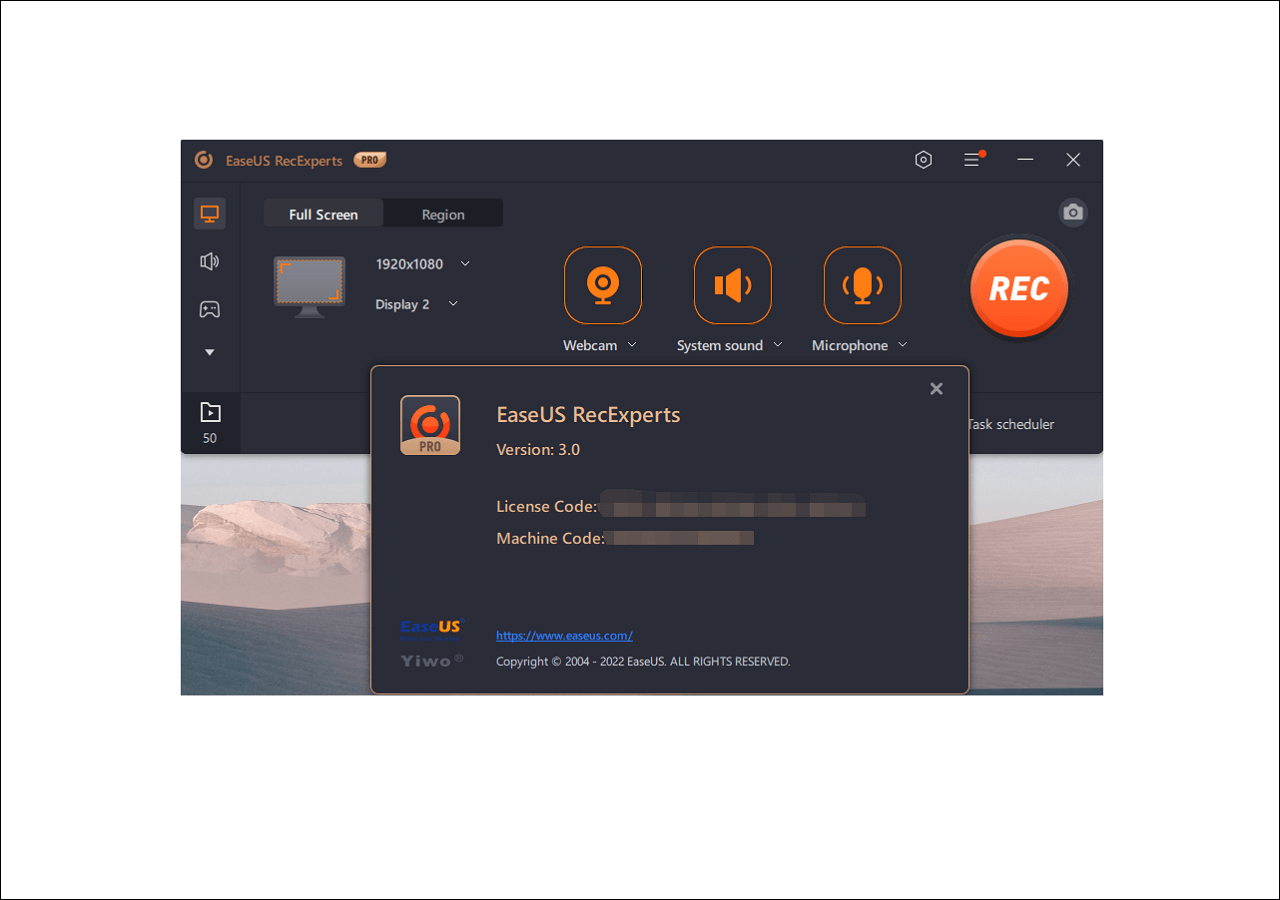
- EaseUS RecExperts is built for simple, everyday recording with light editing.
Bandicam, OBS Studio, and EaseUS RecExperts each target a different type of user. Instead of comparing every feature, it's easier to look at how they perform in real use cases.
|
Category |
Bandicam |
OBS Studio |
EaseUS RecExperts |
|
Core Focus |
Lightweight recording |
Advanced streaming & customization |
Simple recording + light editing |
|
Ease of Use |
Easy |
Difficult |
Very easy |
|
Performance |
Excellent (low system load) |
Good (depends on setup) |
Good |
|
Gaming Recording |
Excellent |
Excellent |
Average |
|
Tutorial Recording |
Good |
Good |
Excellent |
|
Streaming |
Limited |
Excellent |
Limited |
|
Built-in Editing |
Basic trimming only |
None |
Basic editing tools |
|
Setup Required |
Low |
High |
Low |
|
System Impact |
Low |
Medium |
Low |
Who Should Use Bandicam?
Bandicam is best suited for users who prioritize recording performance over editing features.
It works especially well for gamers, tutorial creators, and anyone who needs to capture smooth, high-quality video without slowing down their system. If your workflow is mainly "record first, edit later," Bandicam fits naturally.
It's also a good option for users who prefer a simple, lightweight tool instead of a full video production suite.
However, if you rely heavily on advanced editing, AI features, or cloud collaboration, you may find Bandicam too limited for long-term production work.
Final Verdict
Bandicam has stayed relevant for one simple reason: it still does one job very well—recording your screen with high performance and low system impact.
After testing the latest version, what stands out is not how many features it has, but how consistently it performs. Recording is smooth, setup is quick, and the software rarely gets in your way. For users who just want to capture gameplay, tutorials, or desktop activity, that reliability is still valuable in 2026.
At the same time, Bandicam clearly isn't trying to compete with full video creation platforms. It doesn't offer deep editing tools, AI-assisted workflows, or collaborative cloud features. And while the addition of Mac support, an online recorder, and a 2027 beta shows active development, the core product philosophy hasn't changed much.
That's really the key takeaway. Bandicam is not the most advanced or the most modern screen recorder—but it doesn't need to be. It focuses on doing the recording part well, and for a specific group of users, that's exactly what matters.
If you want an all-in-one editing and creation tool, you'll likely look elsewhere. But if you want a fast, stable, and lightweight recorder that just works, Bandicam still holds its place in 2026.