-
![]()
Daisy
Daisy is the Senior editor of the writing team for EaseUS. She has been working in EaseUS for over ten years, starting from a technical writer to a team leader of the content group. As a professional author for over 10 years, she writes a lot to help people overcome their tech troubles.…Read full bio -
Jane is an experienced editor for EaseUS focused on tech blog writing. Familiar with all kinds of video editing and screen recording software on the market, she specializes in composing posts about recording and editing videos. All the topics she chooses …Read full bio
-
![]()
Alin
Alin is an experienced technical blog writing editor. She knows the information about screen recording software on the market, and is also familiar with data cloning and data backup software. She is expert in writing posts about these products, aiming at providing users with effective solutions.…Read full bio -
Jean is recognized as one of the most professional writers in EaseUS. She has kept improving her writing skills over the past 10 years and helped millions of her readers solve their tech problems on PC, Mac, and iOS devices.…Read full bio
-
![]()
Jerry
Jerry is a fan of science and technology, aiming to make readers' tech life easy and enjoyable. He loves exploring new technologies and writing technical how-to tips. All the topics he chooses aim to offer users more instructive information.…Read full bio -
![]()
Rel
Rel has always maintained a strong curiosity about the computer field and is committed to the research of the most efficient and practical computer problem solutions.…Read full bio -
![]()
Gemma
Gemma is member of EaseUS team and has been committed to creating valuable content in fields about file recovery, partition management, and data backup etc. for many years. She loves to help users solve various types of computer related issues.…Read full bio -
![]()
Shelly
"I hope my articles can help solve your technical problems. If you are interested in other articles, you can check the articles at the bottom of this page. Similarly, you can also check my Twitter to get additional help."…Read full bio
Page Table of Contents

Jean
Updated on Jul 09, 2026
0 Views |
0 min read
Quick Answer: Should You Choose EaseUS RecExperts or Bandicam?
Both EaseUS RecExperts and Bandicam are excellent screen recorders, but they're designed for different users.
If you need an all-in-one recorder for work, study, meetings, online videos, and AI-powered tools, EaseUS RecExperts offers a more complete workflow.
If your priority is lightweight, high-performance game recording, Bandicam remains a strong choice.
|
Category |
Better Choice |
Why |
|
Ease of Use |
RecExperts |
Cleaner interface and easier workflow |
|
Game Recording |
Bandicam |
Lower CPU usage |
|
Online Meetings |
RecExperts |
Built-in tools and AI transcription |
|
File Compression |
RecExperts |
Smaller output files in our test |
|
Editing |
RecExperts |
Built-in editing workflow |
|
Price |
Bandicam |
Lower lifetime price |
|
Free Version |
RecExperts |
Unlimited recording without watermark |
*This comparison is designed for users choosing between EaseUS RecExperts and Bandicam for gaming, online meetings, tutorials, content creation, and everyday screen recording. We also do a Bandicam review. You can read if you are interested.
How We Tested EaseUS and Bandicam Screen Recorder
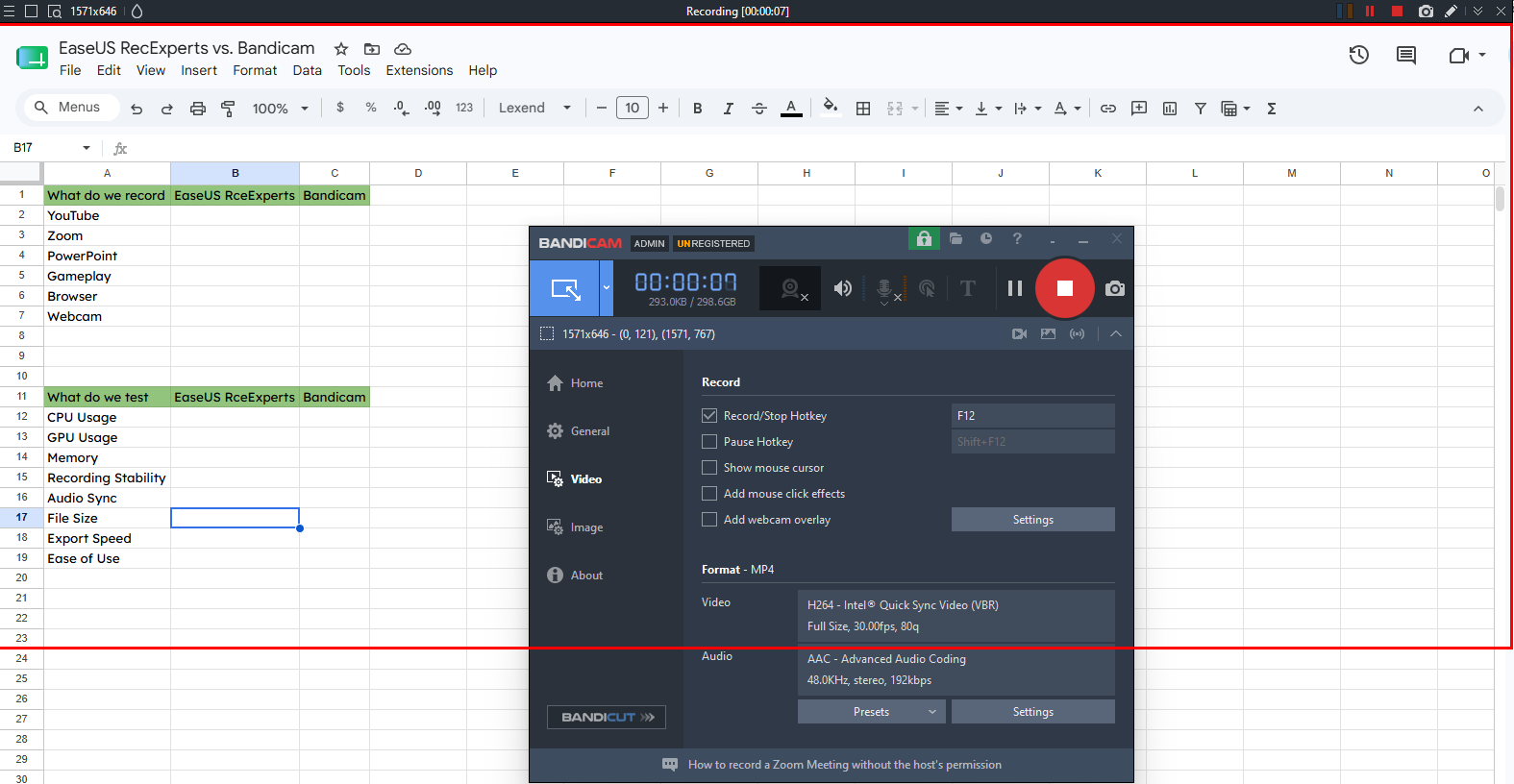
To ensure a fair comparison, both applications were tested on the same Windows PC with identical recording scenarios and default settings, unless otherwise specified.
👉Test Environment
- OS: Windows 11 Pro 24H2
- CPU: Intel Core i7-14700K
- GPU: NVIDIA RTX 4070
- RAM: 32GB DDR5
- Display: 1920*1080
👉Test Scenarios
|
Scenario |
Purpose |
|
YouTube video |
Test browser recording quality |
|
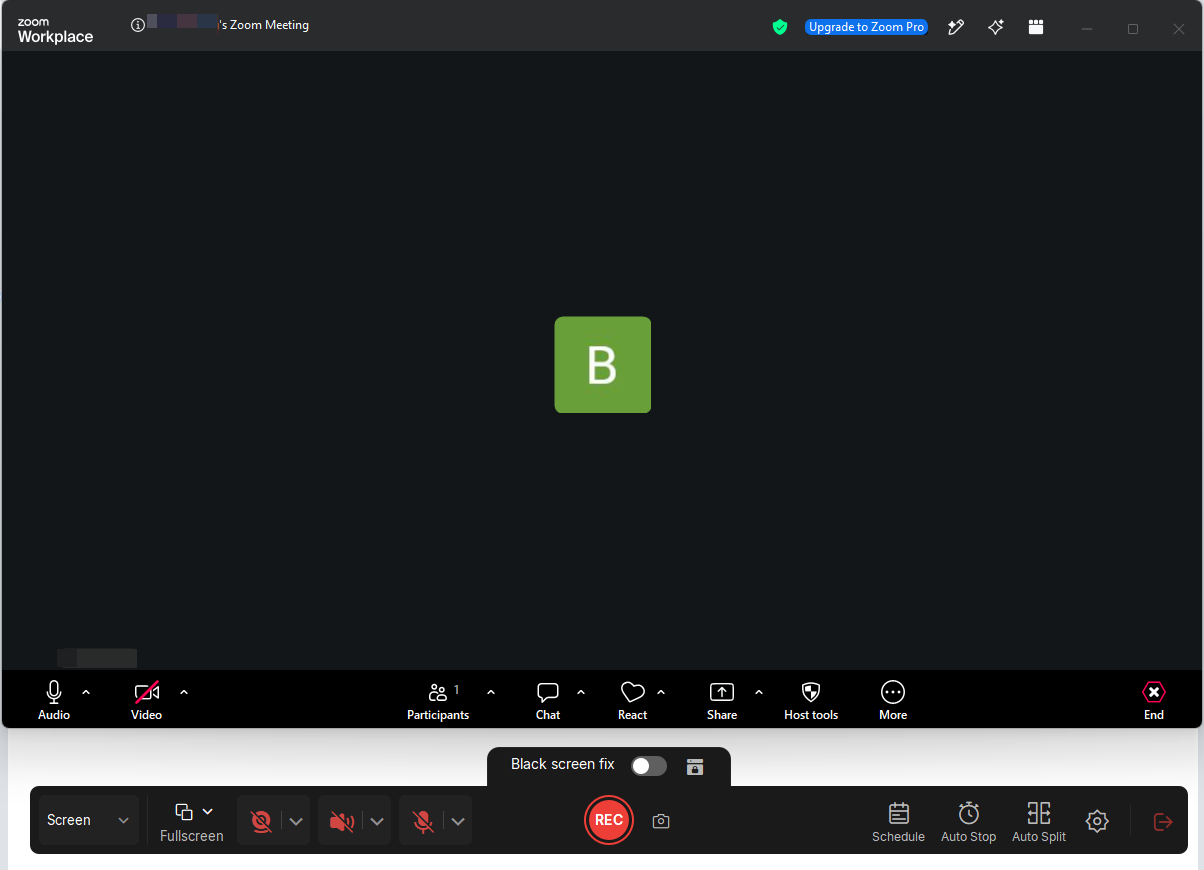
Zoom meeting |
Test system + microphone audio sync |
|
PowerPoint |
Test presentation recording |
|
Gameplay |
Test performance and FPS stability |
|
Browser |
Test window/region capture |
|
Webcam |
Test camera recording quality |
👉Recording Settings
|
Setting |
Value |
|
Resolution |
1920×1080 |
|
Frame Rate |
60 FPS |
|
Codec |
H.264 |
|
Audio |
System + Microphone |
|
Duration |
10 minutes per scenario |
Share this post if you find it helpful!

Head-to-Head Comparison: EaseUS RecExperts vs. Bandicam
A General Comparison Table
|
Feature |
EaseUS RecExperts |
Bandicam |
|
Windows |
✅ |
✅ |
|
macOS |
✅ |
✅ |
|
Online Recorder |
✅ |
✅(Online Screen Recorder) |
|
AI Transcription |
✅ |
❌ |
|
Game Recording |
✅ |
✅ |
|
Webcam Recording |
✅ |
✅ |
|
Audio Only |
✅ |
✅ |
|
Scheduled Recording |
✅ |
✅ |
|
Built-in Editor |
✅ |
❌ |
|
GPU Encoding |
✅ |
✅ |
|
Free Version |
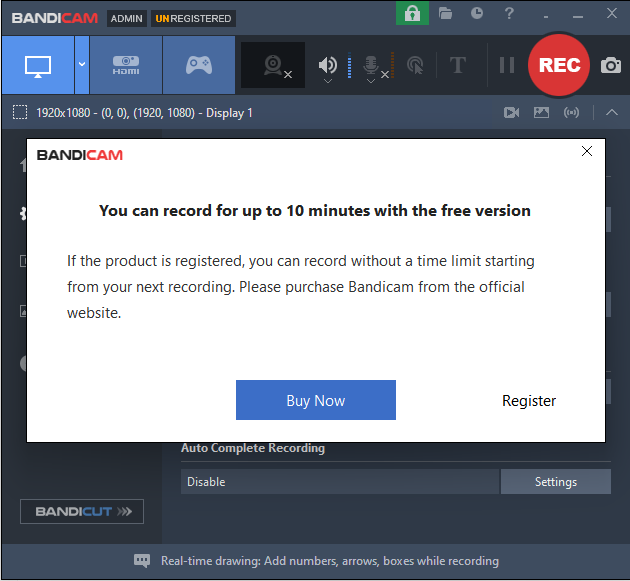
✅ Unlimited recording, no waternmark, 1-minute export |
✅ 10-minute recording, huge watermark |
|
Best For |
Daily Users |
Gamers |
Ease of Use
Both applications install quickly and are ready to use within minutes. The biggest difference lies in their interface design and recording workflow.
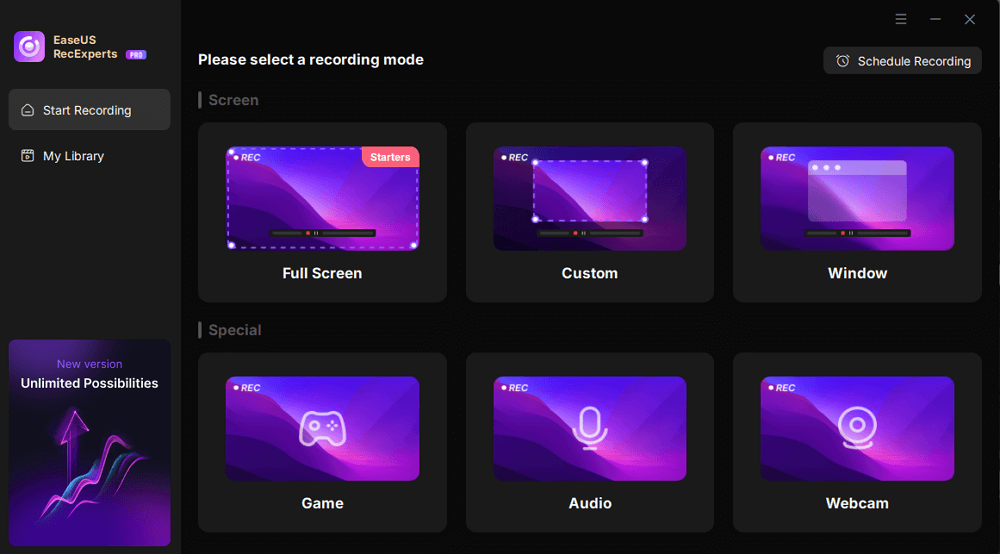
EaseUS RecExperts uses a cleaner interface with recording modes displayed directly on the home screen, making it easier for new users to find common functions.
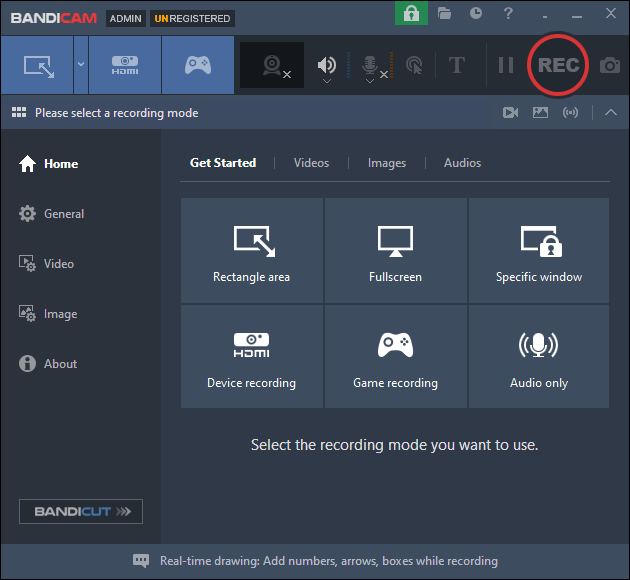
Bandicam provides more advanced recording settings up front, which experienced users may appreciate when fine-tuning parameters.
Recording Features
Instead of comparing every feature individually, we tested both recorders in four common recording scenarios.
Both applications handled everyday recording tasks reliably during testing. Bandicam focuses on high-performance recording, while RecExperts includes more tools for tutorials, meetings, and content creation.
|
Scenario |
EaseUS RecExperts |
Bandicam |
|
YouTube & Browser |
Excellent |
Very Good |
|
Gameplay |
Very Good |
Excellent |
|
Zoom |
Excellent |
Very Good |
|
Tutorials |
Excellent |
Good |
Recording Quality & Performance
To compare recording efficiency, we recorded the same 10-minute 1080p 60 FPS video using both applications on the same Windows PC with their default recording settings. During each test, we monitored system resource usage, output file size, and recording stability.
Test Notes
- Tests were conducted using the latest publicly available versions of both applications.
- Resource usage was measured using Windows Task Manager during a 10-minute recording.
- Actual results may vary depending on hardware configuration and recording settings.
|
Metric |
EaseUS RecExperts |
Bandicam |
|
Recording Resolution |
1080p 60 FPS |
1080p 60 FPS |
|
Recording Duration |
10 min |
10 min |
|
CPU Usage |
40% |
14% |
|
GPU Usage |
67% |
70% |
|
Memory Usage |
170 MB |
140 MB |
|
Output File Size |
64.22 MB |
129.40 MB |
|
Audio Sync |
Excellent |
Excellent |
|
Recording Stability |
Stable |
Stable |
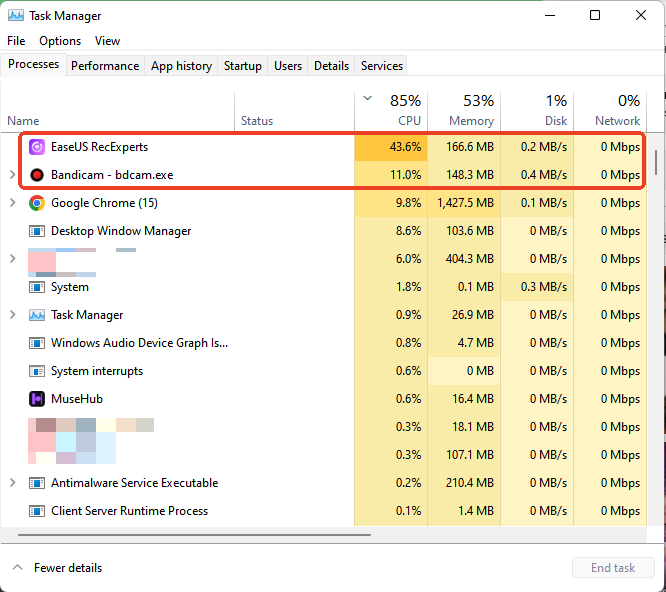
What We Found
Both applications completed the recording without crashes, dropped frames, or noticeable audio synchronization issues. In everyday use, either recorder can produce smooth 1080p recordings.
The main difference was how each application balanced performance and compression. Bandicam, as a lightweight screen recorder, consumed significantly less CPU and slightly less memory, making it a strong option for users who prioritize recording efficiency, especially during gameplay.
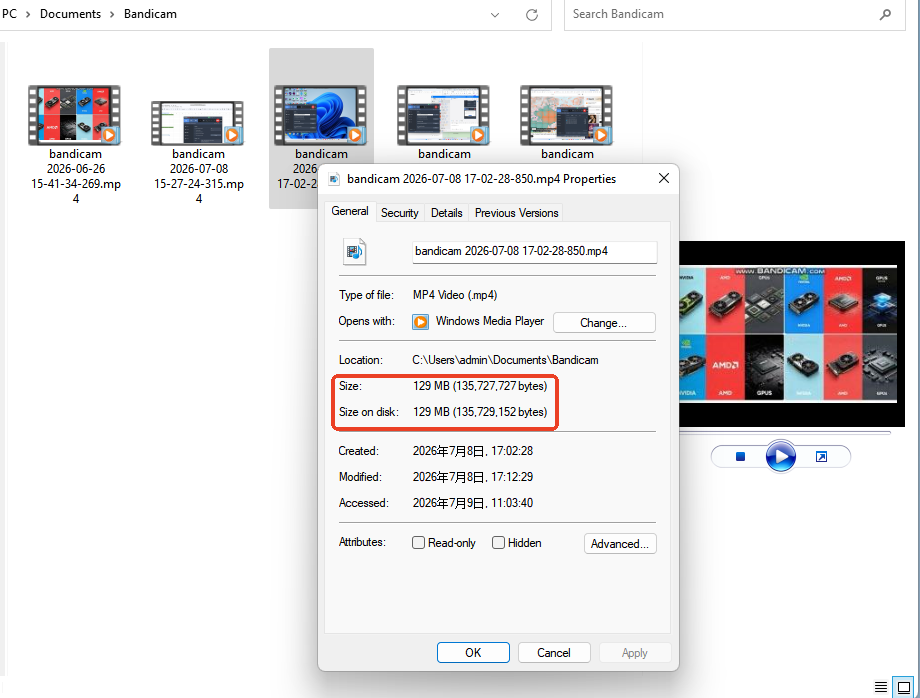
EaseUS RecExperts, on the other hand, generated an output file that was about half the size of Bandicam's under the default settings while maintaining stable recording quality.
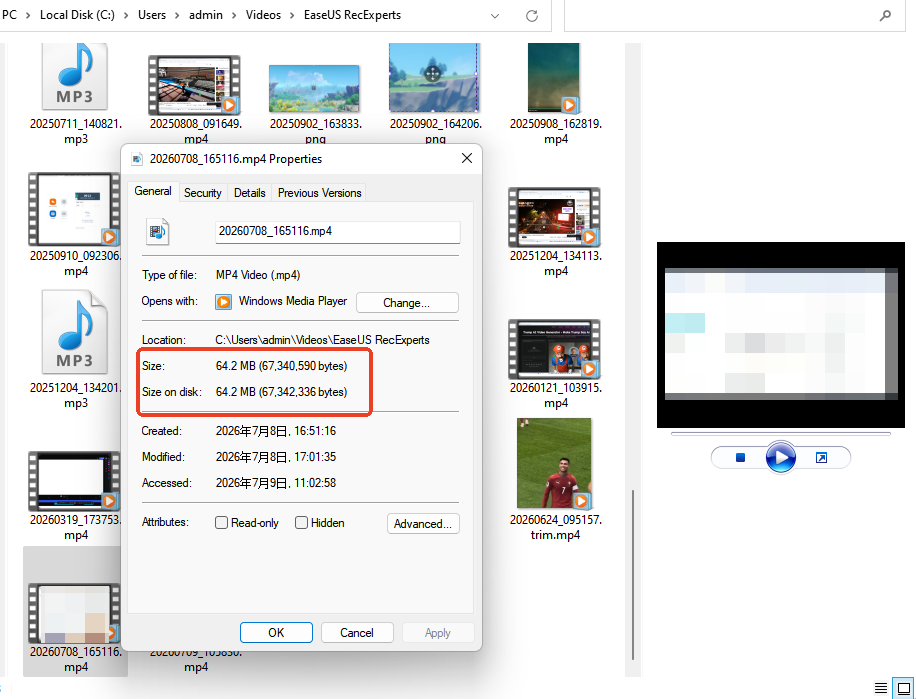
This suggests the two applications use different encoding and compression strategies under their default settings, which can help reduce storage usage when recording frequently.
Our Take
If your primary concern is minimizing system resource usage while gaming, Bandicam has a slight advantage in our test. If you prefer smaller recording files without sacrificing stability, RecExperts offers a practical alternative for everyday recording tasks.
Editing & AI Tools
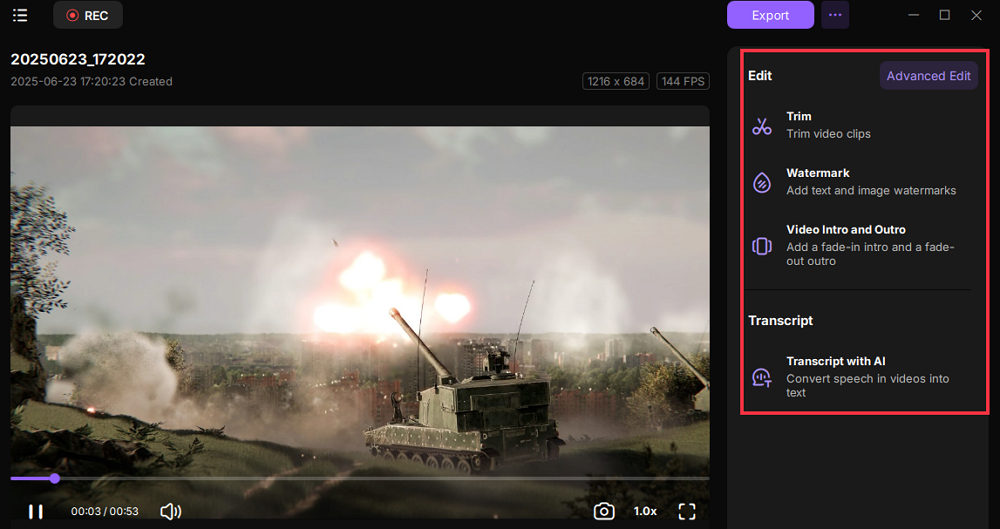
Recording is only one part of the workflow. If you usually trim videos, create GIFs, or generate subtitles after recording, built-in editing tools can save both time and the need for additional software.
|
Feature |
EaseUS RecExperts |
Bandicam |
|
Preview Video |
✓ |
✗ |
|
Trim Video |
✓ |
✗ |
|
AI Transcription |
✓ |
✗ |
|
Noise Reduction |
✓ |
✗ |
|
Screenshot |
✓ |
✓ |
|
GIF Export |
✓ |
✗ |
Our Take
Bandicam focuses almost entirely on recording, making it a good choice if you already edit videos in dedicated software. RecExperts extends the workflow beyond recording by including preview, trimming, AI transcription, and GIF export, which can be especially useful for tutorials, online courses, and business presentations.
Pricing & Free Version
Pricing is only one factor when choosing a screen recorder. The free version, licensing model, and long-term value can have a greater impact, especially if you record regularly.
Bandicam currently offers annual and lifetime licenses, while RecExperts also provides a monthly subscription for users who prefer short-term access.
|
Item |
EaseUS RecExperts |
Bandicam |
|
Monthly Plan |
$19.95 |
— |
|
Annual Plan |
$5.80/mo |
$2.78/mo |
|
Lifetime License |
$119.95 |
$77.00 |
|
Free Recording Limit |
Unlimited |
10 minutes |
|
Watermark (Free Version) |
No |
Yes |
|
AI Features |
Yes |
No |
Our Take
Bandicam offers a lower purchase price, particularly for users considering a lifetime license. However, RecExperts provides a more capable free version with unlimited recording, no watermark, and additional AI-powered features. If you want to evaluate the software before purchasing, RecExperts offers fewer restrictions during the trial experience.
Best Value For
|
If you are |
Better Choice |
Why |
|
Casual users |
RecExperts |
Unlimited free recording and built-in tools |
|
Gamers |
Bandicam |
Lower resource usage and lower price |
|
Teachers |
RecExperts |
AI transcription and editing tools |
|
Content creators |
Depends |
Bandicam for recording only; RecExperts for recording + editing |
Pros and Cons
EaseUS RecExperts
|
What We Like |
What Could Be Better |
|
Beginner-friendly interface that's easy to navigate |
Some advanced features require a paid license |
|
Multiple recording modes for work, study, and entertainment |
Higher resource usage than Bandicam in some gaming scenarios |
|
Built-in editing, screenshot, and AI-powered tools |
AI-powered features may be unnecessary if you only need basic screen recording |
|
Available for both Windows and macOS |
|
Bandicam
|
What We Like |
What Could Be Better |
|
Excellent performance for gameplay recording |
Interface feels more technical for first-time users |
|
Lightweight with efficient CPU and memory usage |
No built-in editing tools; you have to install an extra editing app |
|
Produces high-quality recordings with relatively small file sizes |
Some post-production tasks require additional software |
|
Long-established recorder with extensive recording settings |
|
Which One Should You Choose?
Choose EaseUS RecExperts if you:
✔ Record online courses, webinars, or meetings regularly
✔ Want built-in editing instead of using separate software
✔ Need AI features such as transcription or noise reduction
✔ Record different types of content beyond gameplay
✔ Prefer a cleaner interface with a shorter learning curve
Choose Bandicam if you:
✔ Primarily record PC gameplay
✔ Want the lowest possible system resource usage
✔ Prefer fine-grained control over recording settings
✔ Already use dedicated video editing software
✔ Need a lightweight recorder focused mainly on recording performance
Bottom line
If your workflow ends once the recording is finished, Bandicam remains an excellent choice.
If recording is only the first step and you regularly edit, organize, or share your videos, EaseUS RecExperts provides a more complete all-in-one workflow.
If you only record PC games and already have a dedicated video editor, the additional AI and editing features in RecExperts may not provide much extra value.
FAQs
1. Is EaseUS RecExperts better than Bandicam for recording games?
Both applications support high-quality gameplay recording and hardware acceleration. In our tests, Bandicam showed slightly lower system resource usage during longer gaming sessions, while RecExperts provided a wider range of recording modes and built-in editing tools. If gaming is your only priority, Bandicam has a slight advantage. For mixed use, RecExperts offers greater versatility.
2. Does Bandicam support macOS?
Yes. Bandicam now offers a macOS version in addition to its Windows software. However, available features may differ between platforms, so it's worth checking the latest feature list if you plan to switch between Windows and Mac.
3. Which recorder uses less CPU?
Based on our testing, Bandicam generally consumed slightly less CPU during gameplay recording. For everyday tasks such as recording meetings, presentations, or browser videos, the performance difference was relatively small.
4. Which recorder is easier for beginners?
EaseUS RecExperts has a simpler interface with clearly organized recording modes, making it easier for first-time users to get started. Bandicam offers more configurable settings, which may appeal to experienced users who prefer greater control.
5. Can both record online videos?
Both applications can record standard online videos played in a browser. For DRM-protected streaming services, compatibility varies by platform and browser. During our testing, RecExperts' Black Screen Fix mode improved compatibility in supported scenarios.
6. Which one offers the better free version?
That depends on your needs. If you only need occasional recording, either free version may be sufficient. If you require longer recordings, editing features, or AI-powered tools, compare each product's current free-version limitations before deciding.
7. Is Bandicam still worth buying in 2026?
Yes. Bandicam remains one of the strongest choices for users who prioritize efficient gameplay recording and detailed recording controls. However, users looking for an all-in-one solution with editing and AI capabilities may find EaseUS RecExperts a better fit.