-
![]()
Daisy
Daisy is the Senior editor of the writing team for EaseUS. She has been working in EaseUS for over ten years, starting from a technical writer to a team leader of the content group. As a professional author for over 10 years, she writes a lot to help people overcome their tech troubles.…Read full bio -
Jane is an experienced editor for EaseUS focused on tech blog writing. Familiar with all kinds of video editing and screen recording software on the market, she specializes in composing posts about recording and editing videos. All the topics she chooses …Read full bio
-
![]()
Alin
Alin is an experienced technical blog writing editor. She knows the information about screen recording software on the market, and is also familiar with data cloning and data backup software. She is expert in writing posts about these products, aiming at providing users with effective solutions.…Read full bio -
Jean is recognized as one of the most professional writers in EaseUS. She has kept improving her writing skills over the past 10 years and helped millions of her readers solve their tech problems on PC, Mac, and iOS devices.…Read full bio
-
![]()
Jerry
Jerry is a fan of science and technology, aiming to make readers' tech life easy and enjoyable. He loves exploring new technologies and writing technical how-to tips. All the topics he chooses aim to offer users more instructive information.…Read full bio -
![]()
Rel
Rel has always maintained a strong curiosity about the computer field and is committed to the research of the most efficient and practical computer problem solutions.…Read full bio -
![]()
Gemma
Gemma is member of EaseUS team and has been committed to creating valuable content in fields about file recovery, partition management, and data backup etc. for many years. She loves to help users solve various types of computer related issues.…Read full bio
Page Table of Contents

Rel
Updated on Sep 29, 2026
0 Views |
0 min read
Podcasts have become a new norm in the digital world, reaching more than 584.1 million listeners worldwide. This is why it's high time to step into this industry and create your own podcasts to become popular or educate your audience on a particular topic.
If you are planning to start your podcast, you need professional visual podcast cameras. In this guide, we are covering some of the best cameras for podcasting to help you create high-quality content for your audience. From OBSBOT to Sony, our guide highlights the top-performing options for your podcasting journey.
In this article:
Part 1: Key Features to Look for in a Podcast Camera
While finding the right podcast cameras, there are many key features you will have to consider, like video quality, ease of use, and long-term scalability. Below are the essential features that you will have to look for:
- Video resolution (1080p vs 4K)
Whether you need a podcast camera 4k or 1080p, it all depends on your needs. For a professional and sharper visual, you can pick the 4k one, and a full HD camera is best for beginners.
- Audio input compatibility
A good podcast camera must support external microphones using 3.5 mm jack, USB, or XLR interfaces. Keep in mind that a clean audio is as important as visuals in podcasting.
- Auto Focus
Auto Focus is crucial for podcasting, and ensuring that you get sharp and clear because it delivers sharpness even in your movement. In addition, AI tracking cameras are ideal for solo podcasters and interview formats.
- Ease of Use
If you are a beginner, plug-and-play webcams are one of the best choices, and professionals can go with the interchangeable-lens cameras with manual controls.
- Budget & Expandability
Make sure to consider the future needs, such as upgrading lenses, adding capture cards, and expanding multi-camera setups in the future.
Part 2: Best Podcast Cameras
Finding the best budget camera for podcasting is tough when a plethora of options are available in the market. If you are clear about your needs and future vision, getting the right one is easy. However, we have created the best among them here
Beginner / Budget-Friendly:
1. OBSBOT Tiny 3 4K PTZ Webcam - Best Overall Webcam for Professional Podcasting
OBSBOT Tiny 3 packs a massive 1/1.28" CMOS sensor, delivering stunning 4K clarity that rivals expensive cinema cameras. Whether you are recording in a dedicated studio or a dimly lit room, this podcast camera ensures you always look sharp and vibrant. As the smallest 4K PTZ webcam, the Tiny 3 brings studio-level cinematography to your desk, making it the premier podcast video camera for the modern era.
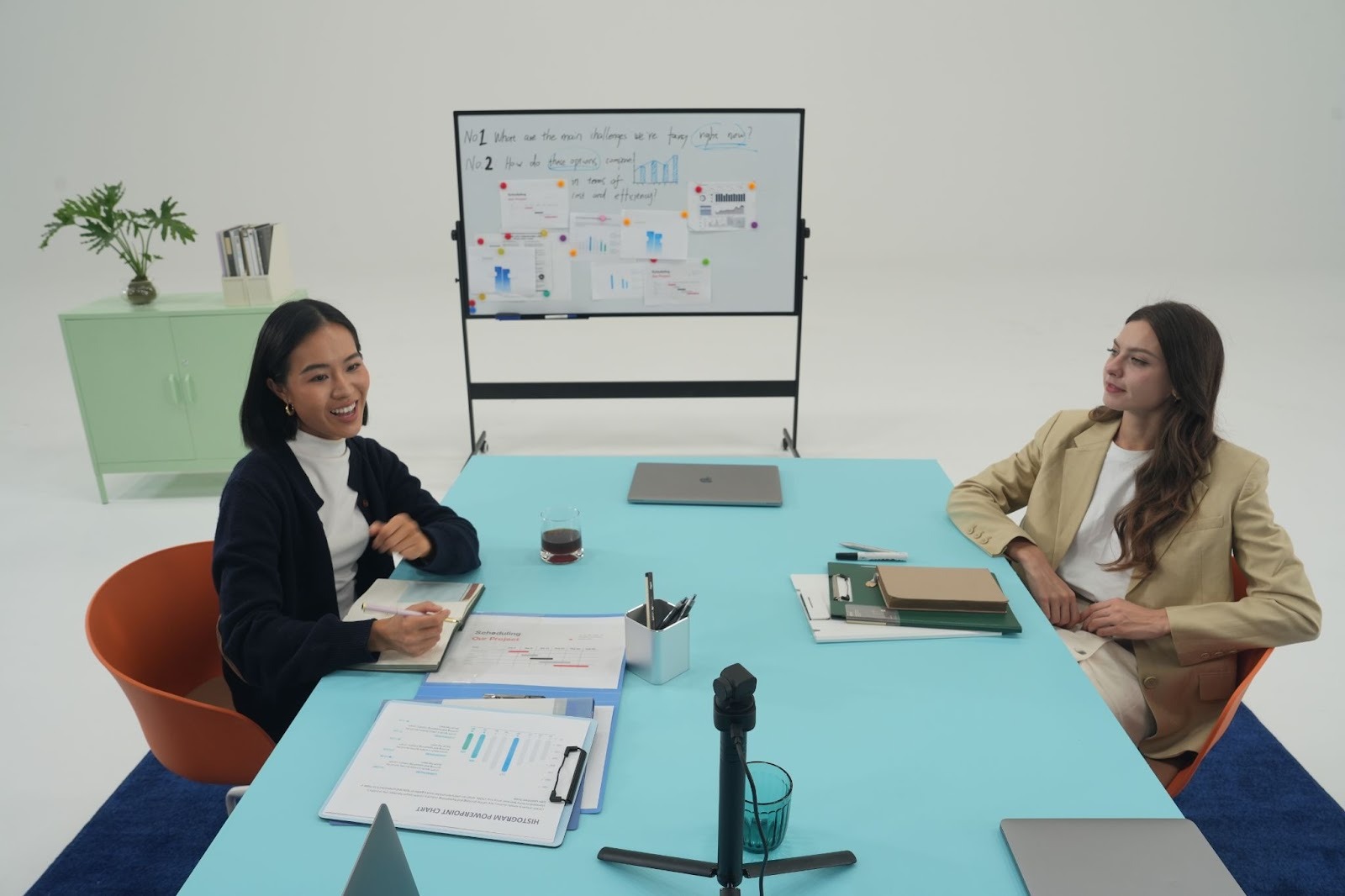
Key Features:
- Tiny in size, Titan in power: Experience 4K flagship performance in an ultra-portable body that seamlessly integrates into any podcasting rig.
- Immersive Audio with Voice Locator: A game-changer for recordings; the built-in triple-mic array uses Voice Locator technology to precisely track sound, ensuring the camera pans to the speaker with robotic precision.
- 1/1.2'' CMOS Sensor: The Tiny 3 features an even larger sensor than its predecessors, delivering unmatched low-light clarity and a shallow depth-of-field effect that makes your podcast camera footage look like a high-end cinema camera.
- Advanced AI Tracking 2.0 with Voice Tracking: The camera doesn't just watch you—it listens. It uses intelligent algorithms to follow your movements and voice, ensuring you remain focused even if you turn to talk to a guest.
- PDAF Instant Focus: Never worry about blurry shots. Whether you're showing a book, a product, or leaning into the mic, the Tiny 3 locks focus in milliseconds.
Best for: Professional podcasters, multi-person interviews, 4K content creators, and those needing smart tracking in dynamic studio environments.
Price: Approx. $349
2. Logitech Brio
The Logitech Brio is a popular webcam for podcast creation. If you want simplicity and affordability, Logitech Brio is a brilliant pick with 4k recording and easy integration with Zoom, OBS, and podcast recording software. In addition, this camera has dual omnidirectional mics to avoid capturing of background sound. As a best budget camera for podcasting, the Brio is ideal for creators just starting or those recording casual video podcasts at home.

Key Features:
- 4K Ultra HD webcam
- HDR support
- Auto-light balance
- USB plug-and-play
- Compact design
- Best for: Entry-level video podcasts, Zoom interviews
- Price of Camera: Approx. $274
- Customer Reviews:

Intermediate / Content Creators:
1. Sony ZV-1
ZV-1 is an elegant and powerful Sony podcast camera designed especially for modern content creators. With its large 1-inch sensor and exceptional autofocus, it produces cinematic video even in small studio spaces. This camera has a flip-out screen, a built-in ND filter, and strong low-light performance.

Key Features:
- Hybrid image stabilization
- Directional 3-capsule inbuilt-mic
- Industry-leading autofocus
- Flip-out touch screen
- Built-in directional mic
- Best for: YouTube podcasters, creators, vlog-style podcasts
- Price of Camera: Approx. $747
- Customer Reviews:

2. Panasonic Lumix G7
The Panasonic Lumix G7 is a mirrorless camera for podcast recording that comes with a range of useful features for podcasters and content creators. Known widely for its 4K output and strong manual controls, the G7 provides more control over visuals. While autofocus is contrast-based, its reliability and lens flexibility turn it into a good podcast camera.

Key Features:
- QHD video recording
- Interchangeable lenses
- Clean HDMI output
- Manual exposure controls
- Best for: Studio podcasts, multi-camera setups
- Price of Camera: Approx. $697
- Customer Reviews:

Professional / Studio-Level:
1. OBSBOT Tail 2
If you want to start a studio-level podcast, then OBSBOT Tail 2 is the best podcast video camera. It's a revolutionary AI-powered PTZ camera that helps in live productions and delivers smooth 4K video with advanced subject tracking. It's one of the most unique choices in the digital camera market that can perform advanced subject tracking. As a premium podcast video camera, it eliminates the need for camera operators while maintaining broadcast-level quality.
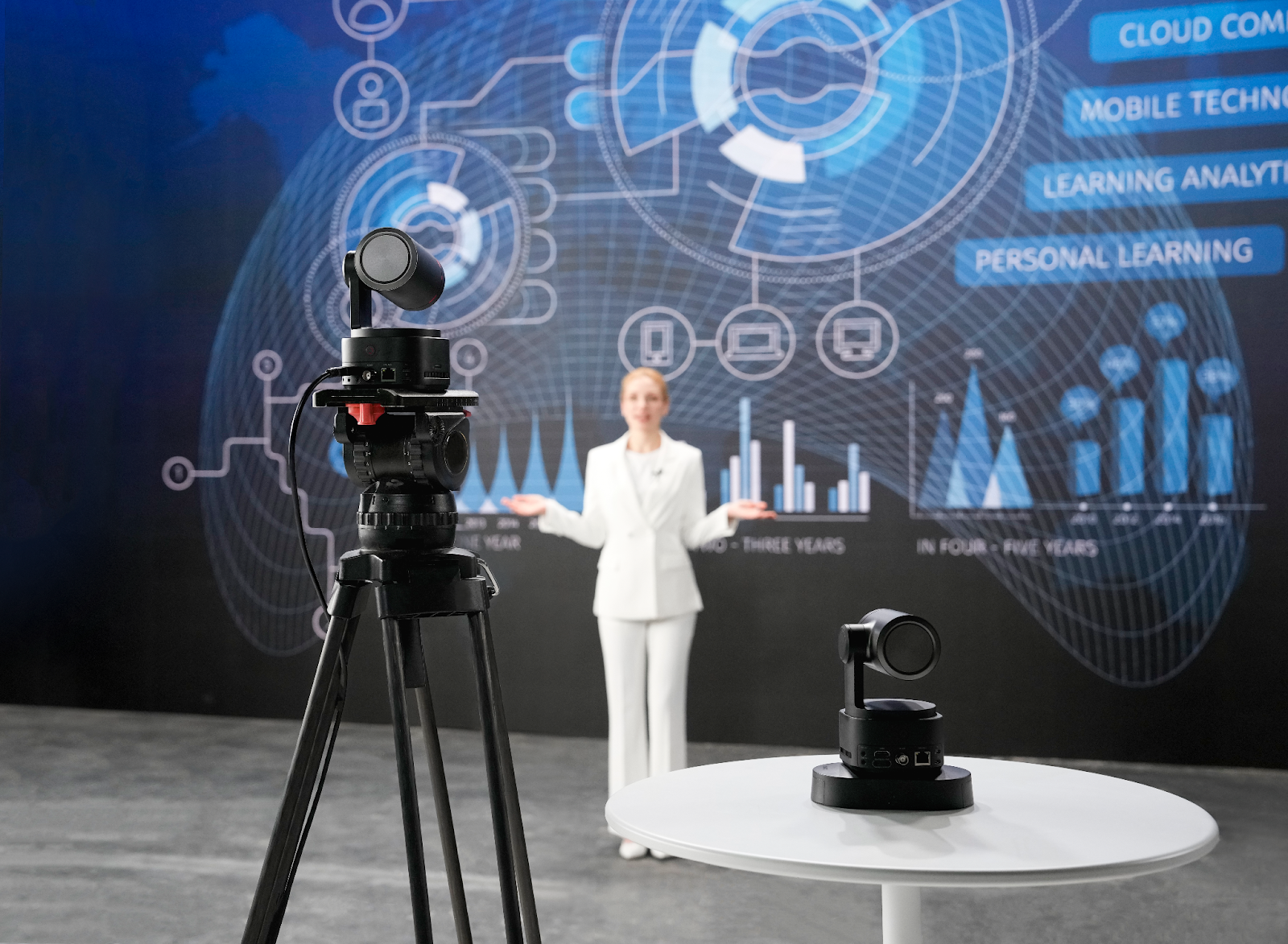
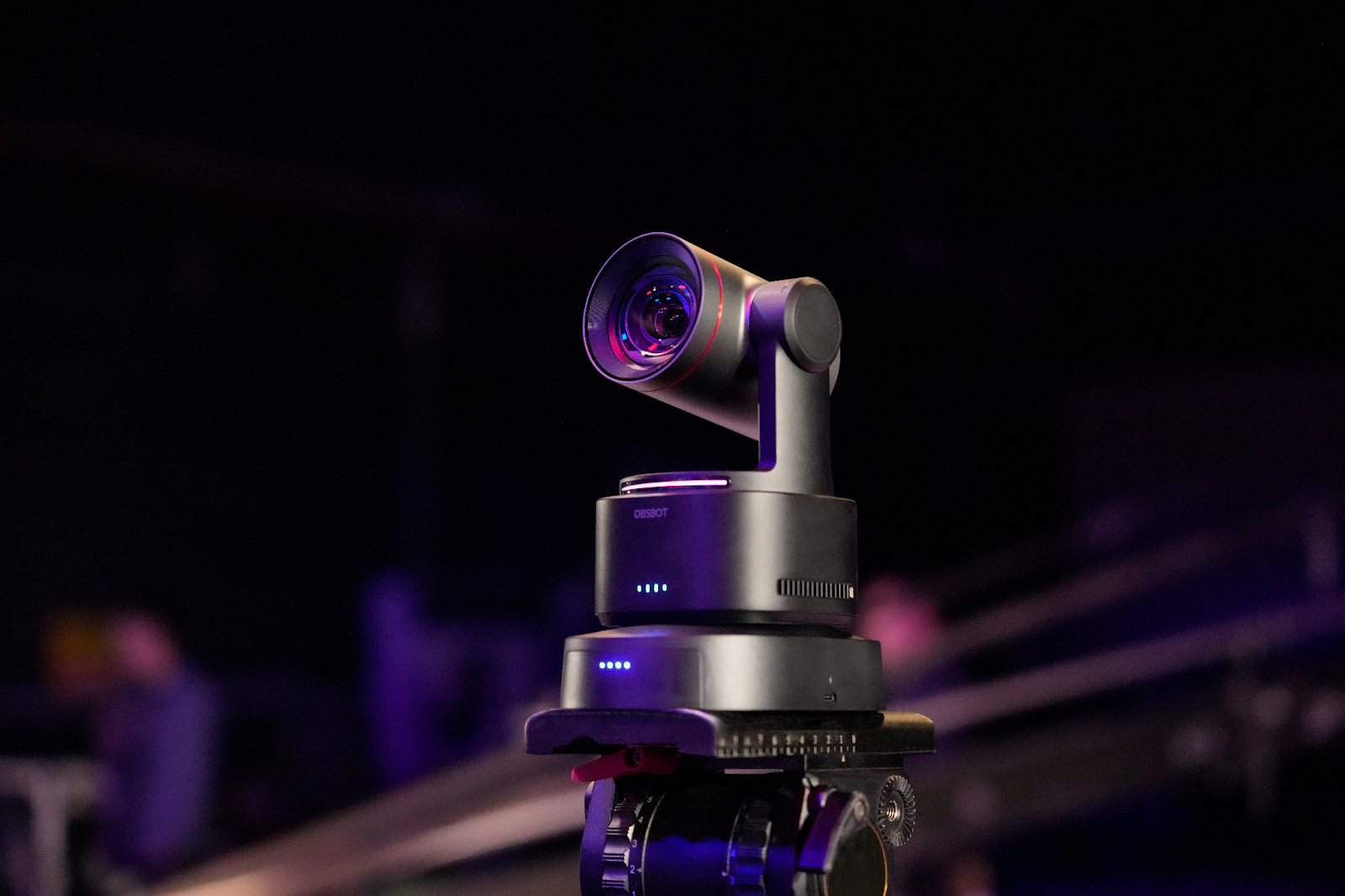
Key Features
- 4K AI tracking camera
- PTZ (Pan-Tilt-Zoom) control
- HDMI, USB, and network outputs
- Ideal for multi-host podcasts
- Best for: Studio podcasts, live panel shows
- Price of Camera: Approx. $1,199
- Customer Reviews:

2. Sony FX30
The Sony FX30 is a cinema-line camera that provides professional-grade visuals for serious podcasters. With its APS-C sensor and S-Cinetone colour science, it's one of the best cameras for podcast video studios aiming for Netflix-level quality. This camera is ideal for long-form podcast productions, documentaries, and branded content.

Key Features:
- 4K Super 35 sensor
- S-Cinetone for cinematic visuals
- Dual-base ISO
- Professional audio support
- Best for: High-end podcast studios, cinematic productions
- Price of Camera: Approx. $1,900
- Customer Reviews:

Part 3: How to Set Up a Video Podcast Studio
Once you have decided on the camera choice, it's time to set up a video podcast studio to bring your unique content into the digital world. To do it in the right way, you must follow these instructions:
- Mount the Podcast Camera
Always use a tripod or desk mount to position your camera at eye level. For PTZ cameras, make sure that there is sufficient room for movement.
- Adjust Lighting Equipment
Softbox or LED panel lights placed at 45° angles reduce shadows and enhance facial features. You must have the proper light setup to capture the video.
- Set Audio Recording Tools
You must use dynamic microphones that complement the podcast camera and offer a clear audio interface.
- Computer & Recording Setup
Ensure your system can handle 4K recording if needed. Capture cards may be required for mirrorless cameras.
- Recording & Editing Software
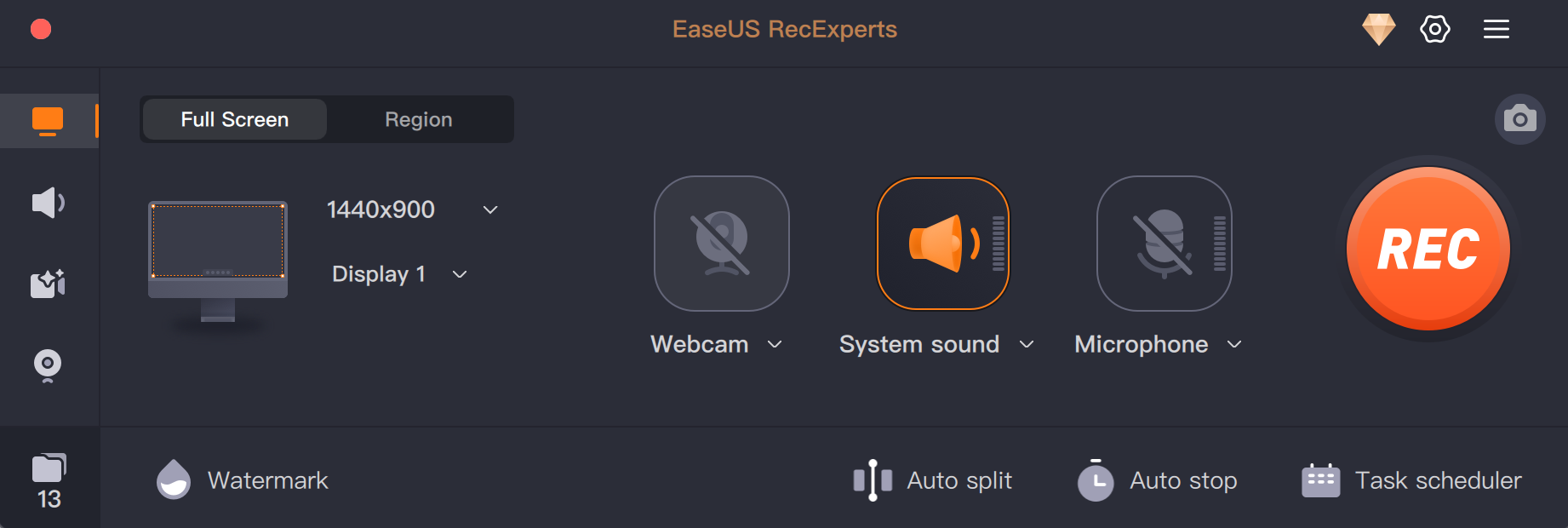
EaseUS offers a user-friendly recording tool - EaseUS RecExperts, perfect for beginners and intermediate creators. It captures your microphone audio alongside the webcam and screen content in one synchronized recording.
- 👉Record the screen, webcam, system sound, and external microphones, with support for up to 4K resolution for smooth podcast footage.
- 👉AI-powered noise reduction removes noise from video or audio, with adjustable mic levels for clean podcast audio.
- 👉Add text, arrows, shapes, or highlights during recording for podcast demos or emphasis.
- 👉Trim clips, adjust speed, and share directly to YouTube/Vimeo/Google Drive in MP4 or WAV formats.
Part 4: FAQs about Best Podcast Camera
Q1. Which camera does Joe Rogan use?
Joe Rogan uses Canon Vixia HF G40 or Canon XA-series to capture high-quality visuals and ensure optimum content production.
Q2. What equipment do I need to start a podcast?
You need a camera, a microphone, lighting, recording software, and a computer. The choice of the equipment depends on your budget and needs.
Q3. How to set up a camera for a podcast?
Mount the camera at eye level, frame the shot, connect audio, and test lighting before recording.
Q4. What do most people use to record podcasts?
Most creators start with webcams or mirrorless cameras that are paired with USB microphones and simple software.
Conclusion
Choosing the right Podcast Cameras significantly impacts your content quality and boosts audience engagement. From beginner-friendly webcams like the Logitech Brio to professional studio solutions like the OBSBOT Tail 2, there's a camera to meet every individual's need. However, OBSBOT cameras stand out for their AI tracking, ease of use, and scalability, which makes them an unparalleled choice for both new and professional creators. Make sure to invest wisely and start building your podcast journey with confidence.