-
![]()
Daisy
Daisy is the Senior editor of the writing team for EaseUS. She has been working in EaseUS for over ten years, starting from a technical writer to a team leader of the content group. As a professional author for over 10 years, she writes a lot to help people overcome their tech troubles.…Read full bio -
Jane is an experienced editor for EaseUS focused on tech blog writing. Familiar with all kinds of video editing and screen recording software on the market, she specializes in composing posts about recording and editing videos. All the topics she chooses …Read full bio
-
![]()
Alin
Alin is an experienced technical blog writing editor. She knows the information about screen recording software on the market, and is also familiar with data cloning and data backup software. She is expert in writing posts about these products, aiming at providing users with effective solutions.…Read full bio -
Jean is recognized as one of the most professional writers in EaseUS. She has kept improving her writing skills over the past 10 years and helped millions of her readers solve their tech problems on PC, Mac, and iOS devices.…Read full bio
-
![]()
Jerry
Jerry is a fan of science and technology, aiming to make readers' tech life easy and enjoyable. He loves exploring new technologies and writing technical how-to tips. All the topics he chooses aim to offer users more instructive information.…Read full bio -
![]()
Rel
Rel has always maintained a strong curiosity about the computer field and is committed to the research of the most efficient and practical computer problem solutions.…Read full bio -
![]()
Gemma
Gemma is member of EaseUS team and has been committed to creating valuable content in fields about file recovery, partition management, and data backup etc. for many years. She loves to help users solve various types of computer related issues.…Read full bio
Page Table of Contents

Jean
Updated on Oct 30, 2026
0 Views |
0 min read
Most Camtasia vs OBS comparison articles focus on recording quality, but after using OBS Studio and Camtasia for tutorials, gameplay capture, and work videos, I realized the real difference between Camtasia and OBS is workflow efficiency after recording.
OBS gives you more control, customization, and recording power, but it often requires more setup, troubleshooting, and editing work afterward. Camtasia feels far more streamlined for tutorials and business content, especially when speed matters. This comparison focuses on real-world workflows, hidden friction, and which tool actually fits how you create content.
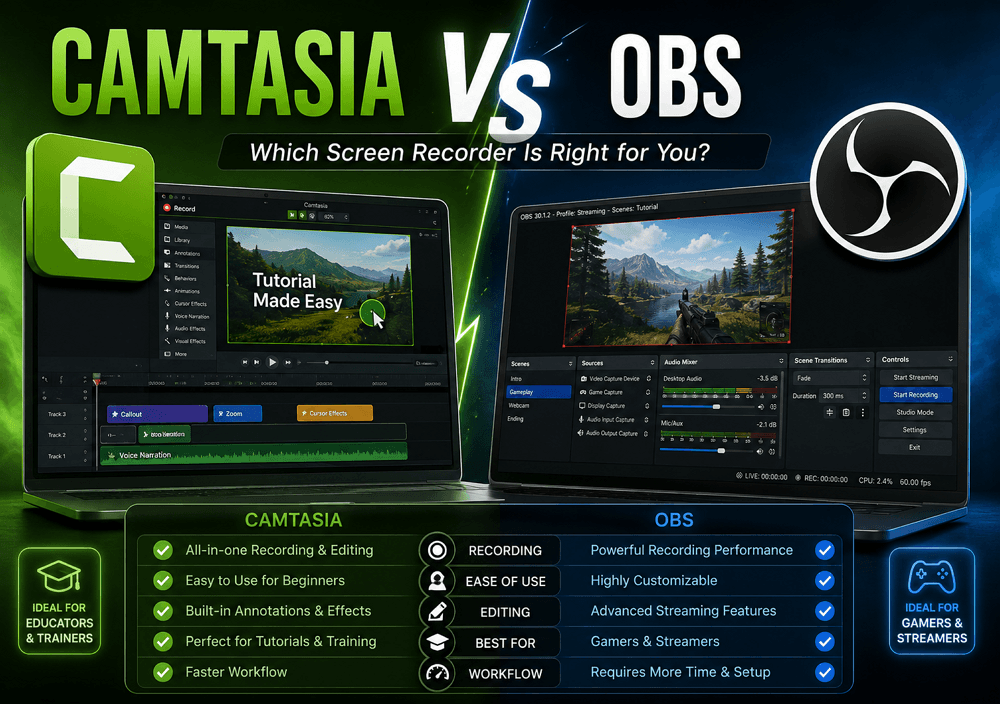
Camtasia vs OBS Studio: Quick Comparison Table
If you already know what kind of content you create, the decision between OBS Studio and Camtasia becomes much easier. OBS is built for flexibility and recording power, while Camtasia focuses more on editing speed and simplified production workflows. I once wrote a detailed Camtasia review. You can read it if needed.
|
If You Want |
Better Choice |
|
Free and powerful recording |
OBS Studio |
|
Fast editing workflow |
Camtasia |
|
Live streaming |
OBS Studio |
|
Tutorial videos |
Camtasia |
|
Lowest learning curve |
Camtasia |
|
Maximum customization |
OBS Studio |
|
Multi-scene production |
OBS Studio |
|
Quick video exports |
Camtasia |
|
Gameplay recording |
OBS Studio |
|
Business training videos |
Camtasia |
Share this post if you find it helpful!

Camtasia and OBS Are Built for Completely Different Workflows
Most comparison articles treat OBS Studio and Camtasia like direct competitors, but after using both extensively, I don't think they're really built for the same type of creator.
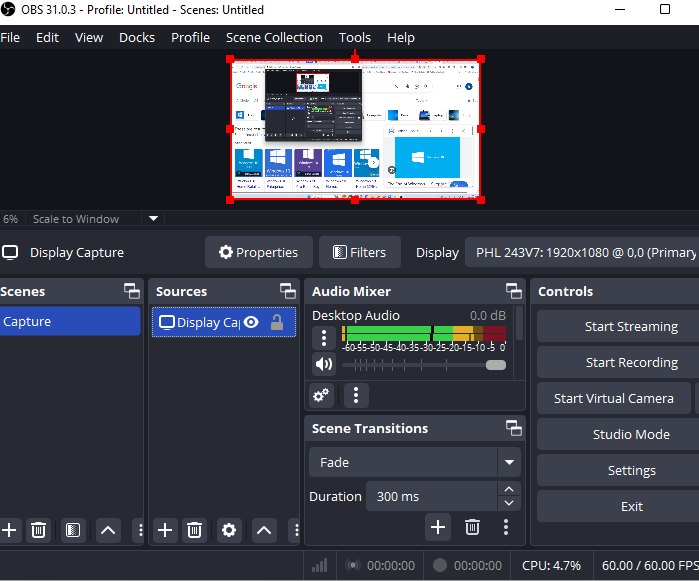
OBS is recording first. It's designed for people who want maximum control over scenes, audio tracks, streaming setups, encoding settings, and recording quality. I mainly used OBS for long gameplay recordings and multi-scene capture, and it clearly feels like a production tool.
Camtasia takes the opposite approach. It's editing-first and workflow-first. I found myself using it more for tutorial editing, work presentations, and internal training videos because everything after recording felt faster and less technical. Camtasia feels much more like a teaching tool than a traditional screen recorder.
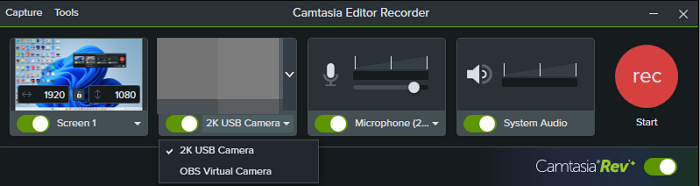
That difference matters more than most feature comparison tables suggest.
If your priority is flexibility and customization, OBS makes more sense. But if your goal is to produce polished tutorial-style videos quickly, Camtasia usually creates far less friction in the overall workflow.
Recording Performance: OBS Is More Powerful, But Not Always Better
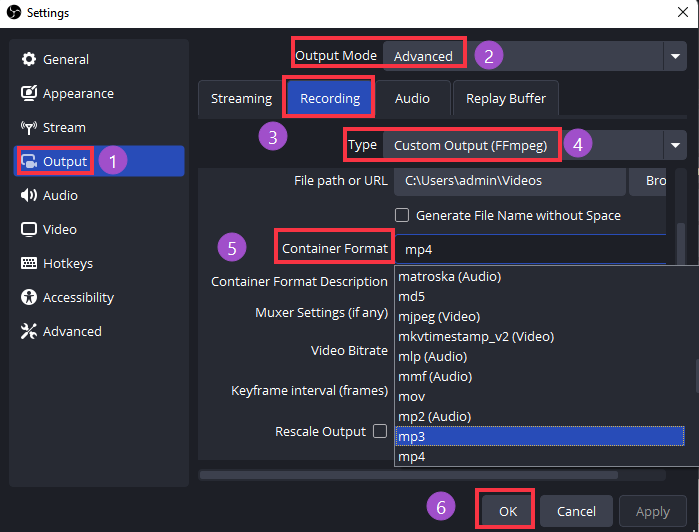
When it comes to raw recording power, OBS Studio is clearly more advanced than Camtasia. OBS gives you far more control over bitrate, encoders, audio tracks, frame rates, scene management, and streaming setups. For gameplay capture or multi-scene recording, it's easily the more flexible tool.
But that flexibility comes with complexity.
I spent nearly 20 minutes adjusting audio sync during one recording setup, and a single incorrect encoder setting once left me with footage that looked noticeably worse than expected. OBS is incredibly powerful, but it also expects you to understand what you're doing.
Camtasia feels very different. Recording is much simpler and almost foolproof for beginners. I could open it, start recording, and move straight into editing without worrying much about configuration. That smoother experience matters if you regularly create tutorials or work videos.
That said, Camtasia isn't perfect either. Longer recordings started to slow down my editing timeline, especially when working on larger projects or with multiple visual effects.
In other words, OBS gives you more recording freedom, while Camtasia focuses more on reducing production friction. Which one feels "better" depends heavily on how technical your workflow actually is.
Editing Workflow Is Where Camtasia Starts Winning
The biggest difference between OBS Studio and Camtasia isn't recording.
It's what happens after you stop recording.
And honestly, this is where I started to understand why so many tutorial creators prefer Camtasia, despite OBS being technically more powerful.
With Camtasia, the workflow feels centralized. I could record, trim mistakes, add cursor effects, zoom-ins, transitions, annotations, and callouts without leaving the software. The timeline is simple enough that I rarely had to figure things out before editing. That matters a lot when you're producing tutorials, SOPs, or training videos consistently.
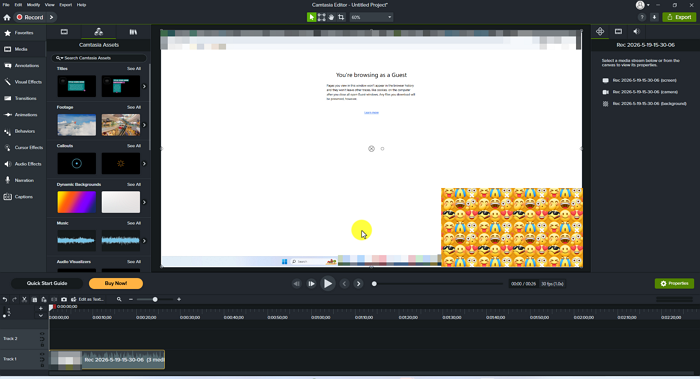
OBS is very different. The recording itself is excellent, but once the capture is done, the workflow immediately becomes fragmented. You still need another editor, such as Adobe Premiere Pro, DaVinci Resolve, or CapCut, to finish the project properly.
That hidden post-production cost is something most OBS comparisons ignore.
I noticed this especially during tutorial editing. Recording with OBS was easy enough, but the constant switching between tools slowed everything down. Even simple tasks like zooming in on a button click or highlighting the cursor took noticeably more effort than in Camtasia.
OBS gives you more production freedom.
Camtasia removes more production friction.
For many creators, that difference ends up mattering more than recording quality itself.
What If You Want Something Between OBS and Camtasia?
After spending time with both OBS Studio and Camtasia, I realized they sit at two very different extremes.
OBS gives you maximum control, but it can feel overwhelming if you just want to record and finish videos quickly. Camtasia simplifies the entire workflow, but not everyone needs a full tutorial-focused editing suite.
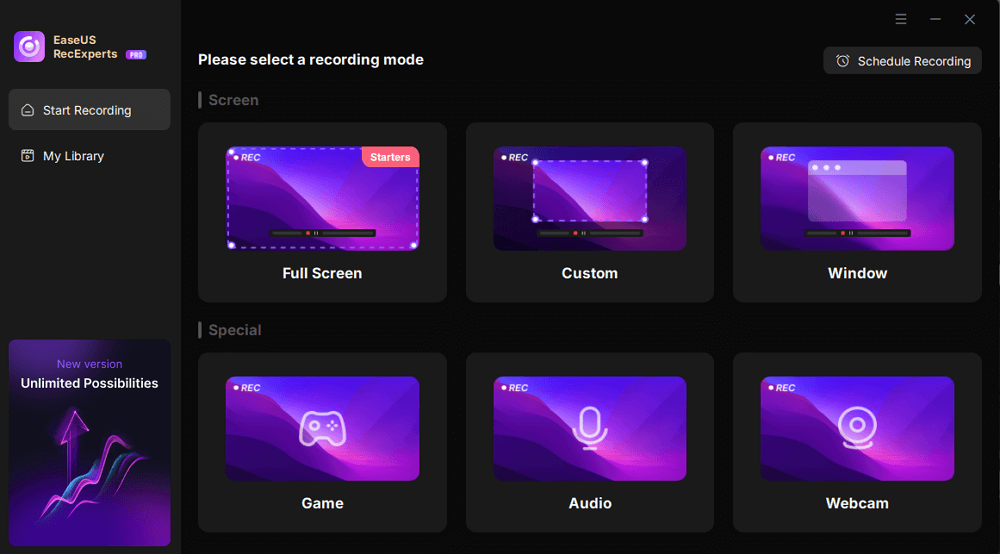
That's why I also tried tools like EaseUS RecExperts during testing.
It honestly felt more like a middle-ground option:
- easier to learn than OBS
- lighter and less demanding than Camtasia
- faster to set up for everyday recording
- but without the complexity of a professional editing workflow
I especially liked it for quick recordings, online meetings, browser videos, and simpler tutorial projects where I didn't want to spend time configuring scenes or managing a large editing timeline afterward.
It's probably not the best choice for advanced streaming setups or heavy post-production work, but for users who feel OBS is too technical and Camtasia feels too workflow-heavy, it fills that gap surprisingly well.
OBS Is Free, But It's Not Really Free
One of the biggest reasons people choose OBS Studio over Camtasia is simple: OBS is free.
And technically, that's true.
But after using OBS regularly, I started realizing the real cost wasn't money. It was time.
OBS has a much steeper learning curve than most comparison articles admit. You're not just learning how to record — you're learning encoders, bitrate settings, audio routing, plugins, scene management, GPU usage, and troubleshooting. I once spent nearly half an hour trying to figure out why desktop audio and microphone audio were slightly out of sync. Another time, a plugin update broke part of my recording setup unexpectedly.
None of these are dealbreakers if you enjoy customizing workflows. In fact, that flexibility is exactly why advanced creators love OBS.
But the hidden cost becomes obvious over time:
- learning complicated settings
- maintaining plugins
- configuring scenes and audio sources
- fixing crashes or recording issues
- exporting footage into separate editing software
- understanding encoding settings most beginners have never touched before
That's why I think this sentence describes OBS perfectly: OBS is free until your time becomes expensive.
If you create content professionally or publish videos frequently, workflow efficiency eventually starts mattering just as much as software cost.
Share this post if you find it helpful!
Camtasia's Biggest Weakness Isn't the Price
Most comparisons criticize Camtasia for being expensive, but after using it for real projects, I don't think price is actually its biggest limitation.
The bigger issue is scalability.
Camtasia works extremely well for tutorial-style content because the workflow is streamlined and efficient. Recording, editing, cursor effects, annotations, zoom-ins, and exporting all happen in one place. For SOPs, online courses, onboarding videos, and business training content, that simplicity is genuinely hard to beat.
But once projects become more advanced, the limitations start showing.
I noticed this especially when handling larger editing workloads. Timeline performance became less responsive on longer projects, and the software started to feel restrictive compared to professional editors. Camtasia simply isn't designed for complex production environments.
It's usually not the best fit for:
- gameplay creators
- advanced video editors
- multi-camera workflows
- cinematic color grading
- heavy motion graphics
- high-end YouTube production pipelines
That's where tools built around professional post-production workflows start making more sense.
In other words, Camtasia is optimized for teaching and communication, not creative flexibility.
And honestly, I think understanding that positioning makes the OBS vs Camtasia decision much easier.
Which One Is Better for Different Types of Creators?
After using both OBS Studio and Camtasia across different projects, I don't think there's a single best choice for everyone.
The better option depends almost entirely on the kind of content you create and how much complexity you're willing to manage in your workflow.
|
User Type |
Better Choice |
Why |
|
YouTube tutorial creator |
Camtasia |
Faster editing and built-in teaching tools |
|
Gamer |
OBS Studio |
Better recording performance and flexibility |
|
Streamer |
OBS Studio |
Native streaming ecosystem and scene control |
|
Course creator |
Camtasia |
Easier annotations, zooms, and callouts |
|
Beginner |
Camtasia |
Lower learning curve and simpler workflow |
|
Tech-savvy creator |
OBS Studio |
More customization and advanced controls |
|
Business team |
Camtasia |
Easier collaboration and training production |
|
Multi-scene content creator |
OBS Studio |
Stronger scene management and audio routing |
|
Internal training creator |
Camtasia |
Faster production for SOP and onboarding videos |
If I had to simplify the difference into one sentence, I'd put it this way:
OBS is better for creators who enjoy building workflows.
Camtasia is better for creators who just want to finish videos faster.
My Real Recommendation After Using Both
After using both OBS Studio and Camtasia for different types of projects, I honestly don't think one tool completely replaces the other.
They solve different problems.
If I only needed raw recording power, advanced customization, gameplay capture, or streaming flexibility, I'd choose OBS immediately. It's more powerful, more expandable, and far better suited for creators who enjoy controlling every part of their workflow.
But for everyday tutorial production, Camtasia consistently saved me more time.
That became especially obvious during repetitive work like editing training videos, walkthroughs, onboarding content, or quick tutorials. Being able to record, edit, annotate, zoom, and export within a single streamlined workflow simply reduced friction.
And over time, that friction matters more than people expect.
OBS gave me more control.
Camtasia helped me finish projects faster.
So my recommendation is pretty simple:
- Choose OBS if recording flexibility is your top priority
- Choose Camtasia if workflow efficiency matters more than technical depth
That's the real difference after using both extensively.
Share this post if you find it helpful!
Final Verdict
At this point, I don't think the OBS vs Camtasia decision is really about recording quality anymore.
It's about what kind of creator you are becoming.
OBS Studio is optimized for freedom. It gives you deeper control, more customization, stronger recording flexibility, and a workflow that can scale almost endlessly if you're willing to invest the time.
Camtasia is optimized for delivery speed. It reduces setup friction, simplifies editing, and helps tutorial-focused creators turn recordings into finished videos much faster.
That's why neither tool is objectively better.
They simply optimize different parts of the creative process.
If you enjoy building production workflows, tweaking settings, and maximizing recording control, OBS will probably feel more rewarding long term.
But if your priority is efficiently publishing tutorials, courses, SOPs, or training videos, Camtasia often feels less exhausting to work with day after day.
And honestly, that distinction matters more than most feature lists.
The best tool isn't the one with more features.
It's the one that removes the most friction from your workflow.