-
![]()
Daisy
Daisy is the Senior editor of the writing team for EaseUS. She has been working in EaseUS for over ten years, starting from a technical writer to a team leader of the content group. As a professional author for over 10 years, she writes a lot to help people overcome their tech troubles.…Read full bio -
Jane is an experienced editor for EaseUS focused on tech blog writing. Familiar with all kinds of video editing and screen recording software on the market, she specializes in composing posts about recording and editing videos. All the topics she chooses …Read full bio
-
![]()
Alin
Alin is an experienced technical blog writing editor. She knows the information about screen recording software on the market, and is also familiar with data cloning and data backup software. She is expert in writing posts about these products, aiming at providing users with effective solutions.…Read full bio -
Jean is recognized as one of the most professional writers in EaseUS. She has kept improving her writing skills over the past 10 years and helped millions of her readers solve their tech problems on PC, Mac, and iOS devices.…Read full bio
-
![]()
Jerry
Jerry is a fan of science and technology, aiming to make readers' tech life easy and enjoyable. He loves exploring new technologies and writing technical how-to tips. All the topics he chooses aim to offer users more instructive information.…Read full bio -
![]()
Rel
Rel has always maintained a strong curiosity about the computer field and is committed to the research of the most efficient and practical computer problem solutions.…Read full bio -
![]()
Gemma
Gemma is member of EaseUS team and has been committed to creating valuable content in fields about file recovery, partition management, and data backup etc. for many years. She loves to help users solve various types of computer related issues.…Read full bio
Page Table of Contents

Jean
Updated on Aug 28, 2026
0 Views |
0 min read
If you're considering downloading Bandicam, you're probably not looking for a feature list or a Bandicam review blog. You're trying to answer a much simpler question: Is Bandicam safe? Can I trust Bandicam?
That's a reasonable concern. Screen recording software has access to your display, audio devices, and sometimes your webcam. In other words, you're installing a tool that can see and capture a lot of what happens on your computer.
This guide focuses on those questions to help you make an informed decision before installing anything.
Quick Answer: Is Bandicam Safe to Download and Use?
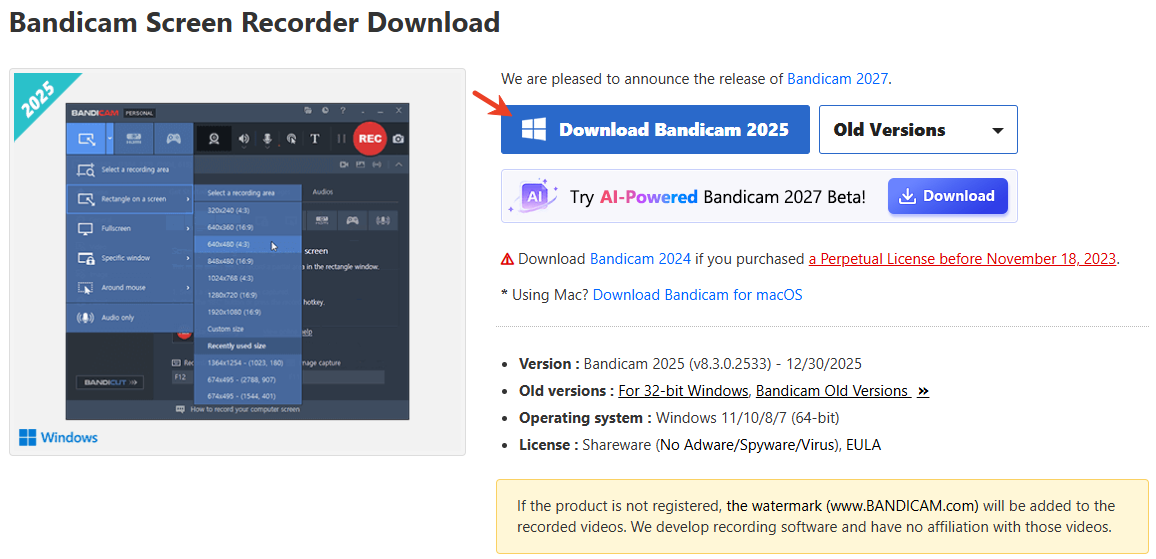
Let's come to the conclusion quickly: yes, Bandicam is generally safe to download and use when obtained from the official website.
As a lightweight screen recorder, the software has been around for years and is widely used for screen recording, gameplay capture, online classes, and tutorial creation. There are no widespread reports suggesting that the official version contains malware or behaves like malicious software.
However, that doesn't mean every Bandicam download is equally safe.
Many of the concerns you'll find online stem from cracked versions, third-party download sites, or misunderstandings about how screen recording software works. That's why it's important to look beyond a simple yes-or-no answer.
Share this article to help more users!

Why Do Some People Think Bandicam Isn't Safe?
This is where things get more interesting. Many articles simply say "Bandicam is safe" and move on. But understanding why the question exists in the first place is actually more useful.
1. Cracked Versions Have Damaged Its Reputation
If you search forums, Reddit discussions, or older tech communities, you'll find many reports connecting Bandicam with malware. A closer look often reveals something important: The software being discussed wasn't the official version. Bandicam has long been popular among students, gamers, and casual users. That popularity led to countless cracked versions appearing online.
Pirated software is one of the most common ways malware spreads. When a modified installer infects a computer, users often attribute the problem to the original software rather than to the unofficial source. This pattern is not unique to Bandicam. The same thing happens with video editors, design software, and office applications.
2. Old Forum Posts Never Disappear
Another reason the question persists is that search engines surface old discussions. Someone might find a forum thread from years ago and assume the information is still current. The problem is that software changes. Security practices improve. Operating systems evolve. An isolated complaint from years ago does not necessarily reflect the current state of the software.
3. Users Often Confuse Annoying Software With Unsafe Software
This distinction matters. A program can be frustrating without being dangerous.
Many users describe Bandicam negatively because:
- The free version includes a watermark
- 10-minute recording limits exist
- Some features require payment
These complaints are valid user experiences. They are not security problems. When people say they "don't trust" a piece of software, they're sometimes expressing frustration rather than identifying a genuine safety risk.
Why Is Bandicam Hated by Some Users?
If you spend time reading community discussions, you'll notice something surprising.
Most criticism has very little to do with security.
1. The Free Version Feels Restrictive
This is probably the most common complaint. Many users discover Bandicam through searches like:
- Best free screen recorder
- Free game recorder
- Free recording software
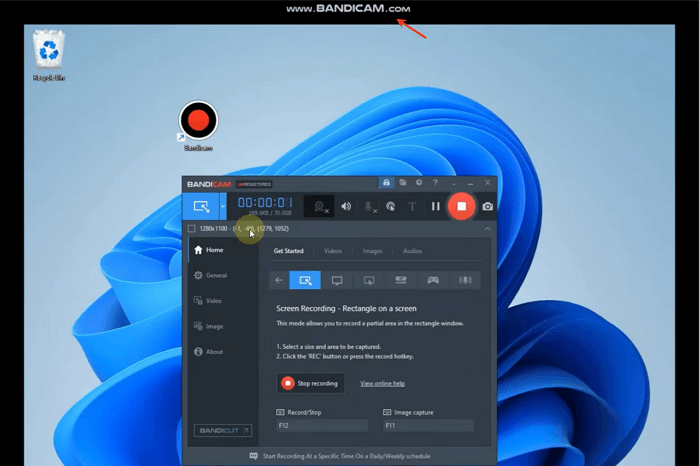
Then they realize the free version includes limitations. For example, the free version has a really big Bandicam watermark. You cannot see it until you export it. To remove the watermark, you have to subscribe to its premium version. That creates disappointment, especially when alternatives exist.
2. Bandicam Competes Against Free Expectations
The screen recording market has changed dramatically. Years ago, paying for recording software felt normal. Today, users have access to powerful free tools. Because of that shift, some people judge Bandicam less on quality and more on whether it offers enough value compared to free screen recorders no watermark.
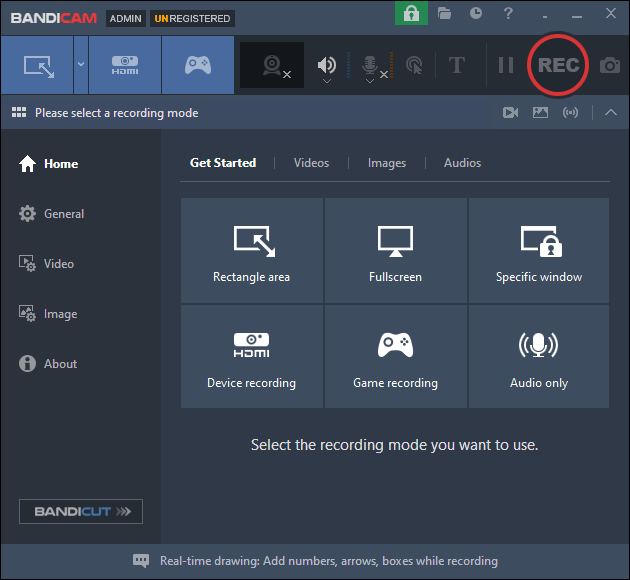
3. The Interface Isn't Modern
This comes up frequently in user discussions. Bandicam works, but it doesn't always feel as modern as newer tools. For some users, that doesn't matter. For others, the appearance of software influences trust and purchasing decisions.
- What does this mean for safety:
- It's important not to confuse criticism with risk. Most negative opinions about Bandicam focus on pricing, licensing, or user experience—not malware, privacy issues, or security threats. Those are completely different conversations.
Share this article to help more users!
What Do Reddit Users Say About Bandicam?
Reddit can be useful because users are often more candid than reviewers. While opinions vary, a few patterns recur.
|
✅What Users Like |
❌What Users Dislike |
|
Stable Lightweight Easy to learn Reliable for game recording |
Watermarks Licensing costs Feature limitations in the free version Competition from OBS Studio |
The general sentiment is not: "Bandicam is unsafe." It's closer to: "Bandicam works, but I personally prefer another tool." That's an important distinction if you're evaluating risk.
Bandicam vs OBS Studio: Which One Is Better for Most Users?
If you're researching Bandicam, chances are you've also come across OBS Studio.
The two tools Bandicam vs OBS are often mentioned together, but they appeal to different types of users.
|
Feature |
Bandicam |
OBS Studio |
|
Safety |
Safe when downloaded from the official website |
Safe when downloaded from the official website |
|
Price |
Paid (free version available) |
Completely free |
|
Ease of Use |
Easier for beginners |
Steeper learning curve |
|
Performance |
Optimized for gameplay recording |
Highly configurable |
|
Customization |
Limited |
Extensive |
|
Open Source |
No |
Yes |
|
Streaming Support |
Basic |
Excellent |
|
Best For |
Users who want a simple recorder |
Users who want maximum control |
⁉️Where OBS Has an Advantage
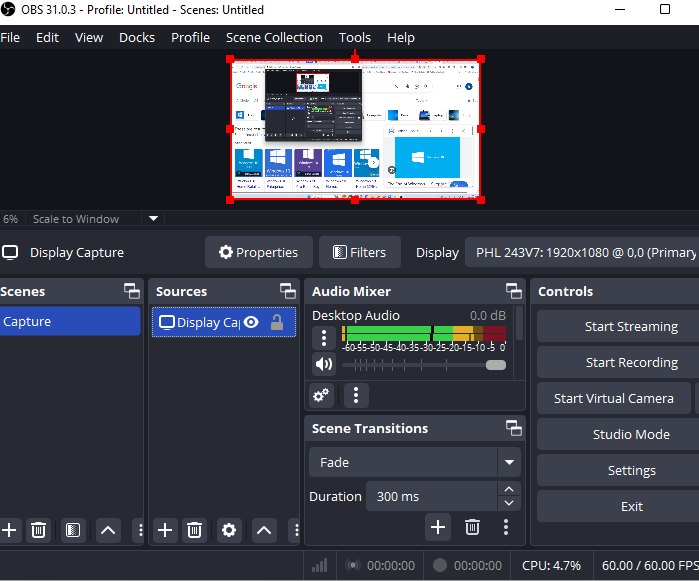
OBS Studio is an open source screen recorder, which means anyone can inspect the code. For users who care about transparency, that can increase trust.
It also offers more advanced recording and streaming options, making it popular among content creators and streamers.
⁉️Where Bandicam Has an Advantage
Bandicam is generally easier to set up and use.
Many users only need to record gameplay, tutorials, meetings, or online classes. In those situations, Bandicam often requires less configuration and has a shorter learning curve.

⁉️Which One Should You Choose?
From a security standpoint, both tools are widely trusted when downloaded from their official websites.
The bigger difference comes down to how much control you want.
If you prefer a straightforward recording experience, Bandicam may feel easier to use. If you want extensive customization and don't mind spending time learning the software, OBS offers more flexibility.
Share this article to help more users!
FAQ
Is Bandicam free?
Bandicam offers a free version, but it comes with limitations such as a watermark and recording restrictions. Users who need unrestricted recording typically need a paid license.
Is Bandicam good?
Bandicam is generally well-regarded for game recording and screen capture. Its biggest strengths are performance and ease of use. Whether it's the best choice depends on your budget and feature requirements.
What is Bandicam used for?
Bandicam is primarily used for recording gameplay, tutorials, presentations, webinars, online classes, and other on-screen activities.
Is OBS safer than Bandicam?
Both are generally safe when downloaded from official sources. OBS benefits from being open source, while Bandicam relies on its long-standing reputation and user base.
Can Bandicam record audio and webcam?
Yes. Bandicam can record system audio, microphone input, and webcam footage, making it suitable for tutorials, presentations, and content creation.
Final Verdict: Should You Download Bandicam?
If you're asking whether Bandicam is safe, the answer is generally yes.
The more useful question, however, is whether Bandicam fits your needs. Most of the concerns surrounding Bandicam stem from unofficial downloads, cracked versions, or confusion between software limitations and actual security risks.
If you're downloading the official version, there is little evidence suggesting that Bandicam poses an unusual threat to your system. At that point, the decision becomes less about safety and more about preference.
Some users choose Bandicam because it's straightforward and reliable. Others choose OBS because it's free and open source. Neither decision is wrong.
The important thing is to understand that trust, usability, pricing, and features are separate factors—and that safety alone probably shouldn't be the reason you rule Bandicam out.